

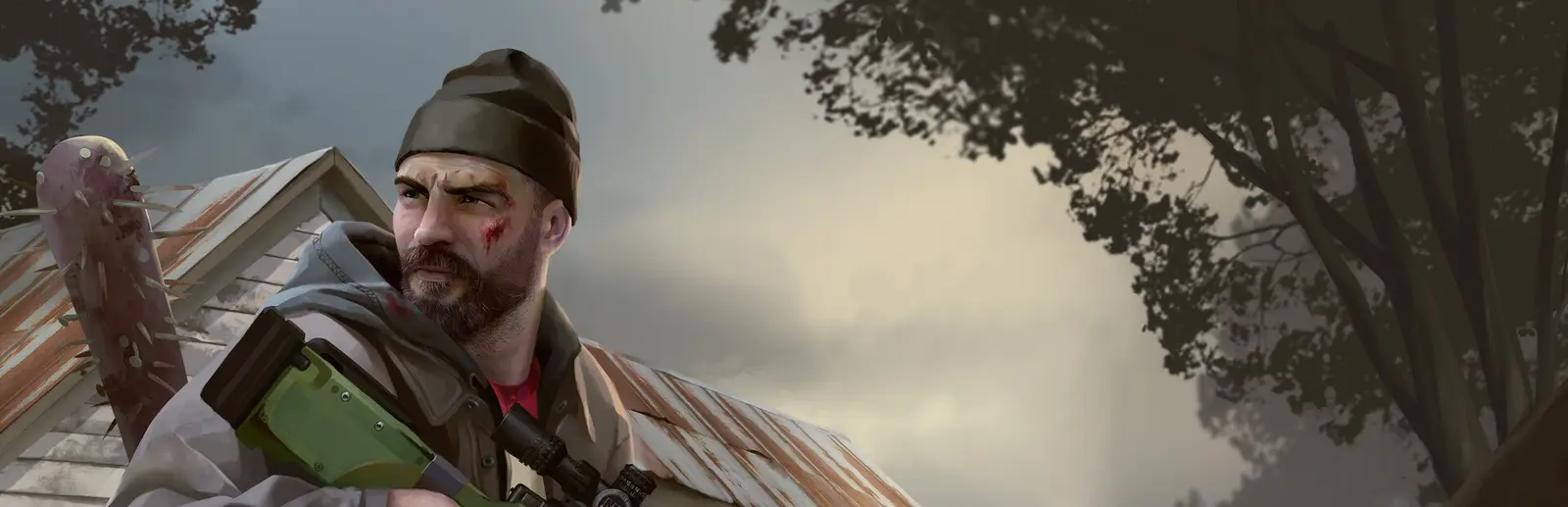
HumanitZ server hosting
Zombie survival your way: permadeath, PvP, loot and zombie speed
Host a HumanitZ dedicated server for up to 24 survivors. Set zombie speed, loot, PvP, permadeath, seasons and dog companions right from the panel.
Staying longer? Subscribe and get 50% off your first month
- DDoS protected
- 24/7 support
- Live the moment you pay

- Split the billUp to 10 friends, own cards
- Custom plansAny RAM up to 32 GB
- Prepaid or monthly3 days to 1 year
- Live in 60 secondsNo setup, no waiting
- Cancel any timeNo contracts, ever
Pick your HumanitZ plan
Every plan is live the moment you pay. Upgrade or cancel from your dashboard any time.
Starter
6 GBThen $14.99/mo. $0.50 a day.
Splitting with 3 friends? $4.77 each/mo
- 6 GB RAM
- 2 vCPU cores
- DDoS protection included
- 24/7 support
Standard
8 GBThen $19.99/mo. $0.67 a day.
Splitting with 3 friends? $6.02 each/mo
- 8 GB RAM
- 2 vCPU cores
- DDoS protection included
- 24/7 support
Pro
12 GBThen $29.99/mo. $1.00 a day.
Splitting with 3 friends? $8.52 each/mo
- 12 GB RAM
- 3 vCPU cores
- DDoS protection included
- 24/7 support
What comes set up on a HumanitZ server
Permadeath or forgiving
Choose individual or server wide permadeath, and decide whether a death costs a backpack or everything you carry.
Tune the horde
Zombie health, speed, damage and numbers each have their own setting, from Very Easy to Nightmare.
PvE with territory
Turn PvP off and use territory rules so nobody builds on someone else's spawn point.
Allowed players only
Lock the server to an allowed list for a private group, or add a password and share it.
A look inside HumanitZ
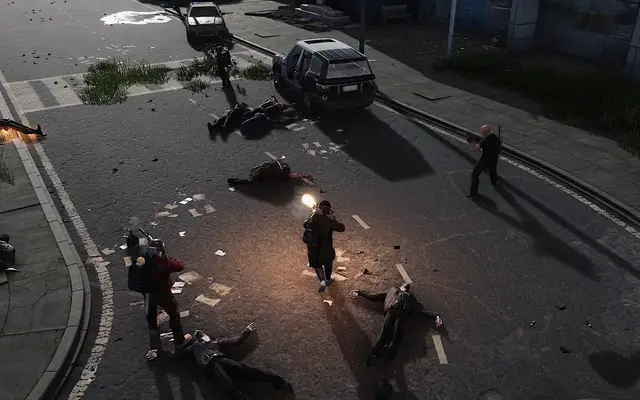
Real screenshots from the game. Click any of them to see it full size.
How much RAM does a HumanitZ server need?
Find the row that sounds like your group and we will point you at the right plan.
| Your server | RAM | Plan |
|---|---|---|
| A few friends on a fresh map | 6 GB | Starter$14.99/mo |
| Co-op group up to the default 16 slots | 8 GB | Standard$19.99/mo |
| Full 24 players or a long running save with big bases | 12 GB | Pro$29.99/mo |
This is the panel. Click around.
This is the HumanitZ panel you get. Click any button, or type a command.

HumanitZ Server
play.gamezservers.com:7777
[12:00:00] Starting HumanitZ server
[12:00:03] Loading world
[12:00:06] Server started on port 7777
[12:00:09] Ready for players. Try a button.
Power
How to join your HumanitZ server
- 1
Launch HumanitZ, choose Play, then Multiplayer.
- 2
Pick a character or create a new one, then click Find Server.
- 3
Enter
203.0.113.24in the direct connection fields at the bottom right, using the game port. - 4
Type {PASSWORD} if the server has a password and click IP Connect.
Common problems
When joining by IP, use the game port from your panel, not the query port. The query port is only for the server list.
Most world settings only apply at startup. Change them in the panel, then restart before testing.
For a long running world, raise Days Per Season and Day Duration so seasons don't flip every evening.
Abandoned blueprints and dropped items pile up on busy servers. Fake Building Cleanup and Pickup Cleanup keep the map tidy.
Server not responding
Make sure the server is online. Servers sleep after 4 days with nobody playing, and anyone with access can start them again from the dashboard in one click.
Use the server address
Do not use localhost, 127.0.0.1 or your own IP from a home hosting guide. Copy the exact address of the server.
No port forwarding or firewall changes
Opening ports on your router is only for hosting a server at home, so there is nothing to change to join this one. If Windows asks whether to let the game through the firewall, choose Allow.
HumanitZ server hosting, explained
HumanitZ is Yodubzz Studios' isometric open world zombie survival game, which left Early Access with its 1.0 release in February 2026. You scavenge towns, craft, farm, build a base and fight off the dead and hostile humans, alone or with friends. Multiplayer is co-op first, with PvP as an option. The developers list the player cap at 24, and our setup starts at 16, which keeps a busy server smooth.
The panel exposes far more than the basics. Toggle PvP and permadeath, choose what you lose on death, and set zombie health, speed, damage and spawn counts separately. Loot rarity, loot and pickup respawn timers, air drops and their interval, weapon durability, building health, starting season, days per season, day and night length, vital drain and dog companions are all there. That's enough for a relaxed base building server or a brutal permadeath one without opening an ini file.
Admin and access settings are in the panel too: an admin password, a server password, and an option to only let allowed players in. PvE servers can use territory rules so players can't build in someone else's spawn point area, with spawn points decaying unless they're repaired. The world saves on an interval you choose, keeps running when everyone logs off, and a one click backup before a big update protects months of building.
Memory use in HumanitZ grows with the number of players, how spread out they are across the map, and how much your group has built. A few friends on a fresh map fit on 6 GB, and 8 GB covers the default 16 slots for most groups. Push toward the full 24 players or keep one save going for a long time with large bases and 12 GB is the safer pick.
HumanitZ server guides
HumanitZ4 min readHumanitZ Admin Commands: /AdminAccess and the Full List
How to become admin on a HumanitZ dedicated server with /AdminAccess, plus every admin chat command: /adminw, /SaveGame, /Shutdown, /god, spawning and bans.
ReadHumanitZ5 min readHumanitZ Server Not Showing or Friends Can't Connect (Fixes)
HumanitZ server missing from Find Server or friends cannot join? Fix game port vs query port, version mismatch, passwords and allowed players.
ReadHumanitZ6 min readHow to Host a HumanitZ Server (2026 Guide)
Host a HumanitZ dedicated server: SteamCMD app 2728330, GameServerSettings.ini, UDP 7777 and 27015, PvP or PvE with territory, permadeath and zombie settings.
ReadHumanitZ5 min readHow to Move a HumanitZ Save to a Dedicated Server
Move a HumanitZ co-op save to a dedicated server: the SaveList files, the SaveName setting, and renaming Host_Offline.sav so the host keeps their character.
ReadIncluded on every plan
- Always on DDoS protection
- 24/7 support from real people
- Low ping game hardware
- Live the moment you pay
- Your own address and port
- Live console with full access
- One click game actions
- One click backups
- Upgrade or cancel any time
Common questions
How many players can join a HumanitZ server?
The developers list the cap at 24 players. Our setup defaults to 16 and you can change it with Max Players in the panel.
How do I join a HumanitZ dedicated server by IP?
Choose Play, then Multiplayer, pick a character and click Find Server. Enter the IP and game port in the direct connection fields at the bottom right, add the password and click IP Connect.
Can I make a PvE only HumanitZ server?
Yes. Turn the PvP setting off and players can't hurt each other. Territory rules then stop players from building on each other's spawn points.
Can I turn on permadeath?
Yes. Permanent Death can be off, per player or server wide. The On Death setting controls what players lose when they die.
Can I make zombies harder or easier?
Zombie health, speed and damage each go from Very Easy to Nightmare, and there are multipliers for zombie, hostile human and zombie dog numbers.
How often does the server save?
Every 300 seconds by default. Change Saving World Interval in the panel to save more or less often.
Does HumanitZ support mods?
There is no official mod support for HumanitZ servers. Customizing a server means using its many world settings.
Can I make the server private?
Set a server password, or turn on Only Allowed Players to restrict it to an approved list.
Is GamezServers affiliated with HumanitZ?
No. You rent and control your own dedicated HumanitZ server. GamezServers is not affiliated with the game's developer or publisher.
Can my friends and I split the cost?
Yes. At checkout choose "Me and my friends" and up to 10 people each pay their own share with their own card, on any plan length, from 3 days to a year. It is not a payment plan: nobody pays in parts over time, each friend simply pays their own share. You pay yours, send each friend their link, and the server starts straight away. Each share includes a $1 payment fee.
Can I build a custom plan?
Yes. Every game has a Build your own page: pick any amount of RAM up to 32 GB, any length from 3 days to 1 year, prepaid or a subscription, plus your server type and settings. A custom size costs 15% more per GB than the standard plans next to it.
Can I pay once instead of a subscription?
Yes. Pick Prepaid and pay once for 3 days, 30 days, 6 months or a year. Nothing renews: when the time is up the server pauses and keeps its world for 14 days. Add time or switch to a subscription from your panel any time. Short rentals cost more per day, since every server is set up from scratch.
How fast is setup, really?
Your server starts building the moment Stripe confirms payment. Most are online in under a minute, and the address and login appear on your dashboard automatically.



Your HumanitZ server is a minute away
Zombie survival your way: permadeath, PvP, loot and zombie speed
Deploy HumanitZ nowLive in 60 seconds · Cancel any time
GamezServers is not affiliated with Yodubzz Studios. HumanitZ and its art are trademarks of their respective owners.