

Counter-Strike 2 server hosting
Your own server for scrims, pugs and community nights.
Practice, scrims, retakes or community nights. Change maps and modes from the panel without typing a single rcon command.
Staying longer? Subscribe and get 50% off your first month
- DDoS protected
- 24/7 support
- Live the moment you pay
- Split the billUp to 10 friends, own cards
- Custom plansAny RAM up to 32 GB
- Prepaid or monthly3 days to 1 year
- Live in 60 secondsNo setup, no waiting
- Cancel any timeNo contracts, ever
Pick your CS2 plan
Every plan is live the moment you pay. Upgrade or cancel from your dashboard any time.
Starter
4 GBThen $9.99/mo. $0.33 a day.
- 4 GB RAM
- 2 vCPU cores
- Up to 5 players
- DDoS protection included
- 24/7 support
Standard
6 GBThen $14.99/mo. $0.50 a day.
Splitting with 3 friends? $4.77 each/mo
- 6 GB RAM
- 2 vCPU cores
- Up to 8 players
- DDoS protection included
- 24/7 support
Pro
8 GBThen $19.99/mo. $0.67 a day.
Splitting with 3 friends? $6.02 each/mo
- 8 GB RAM
- 2 vCPU cores
- Up to 16 players
- DDoS protection included
- 24/7 support
What comes set up on a CS2 server
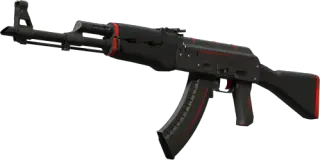
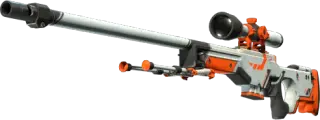
Map changes in a click
Swap maps and restart matches from the panel.
Competitive from the start
Starts in competitive mode with VAC on, ready for a 5v5. Switch to wingman, casual or deathmatch in settings.
Plugins welcome
Upload Metamod and CounterStrikeSharp through the file manager for retakes, practice and match plugins.
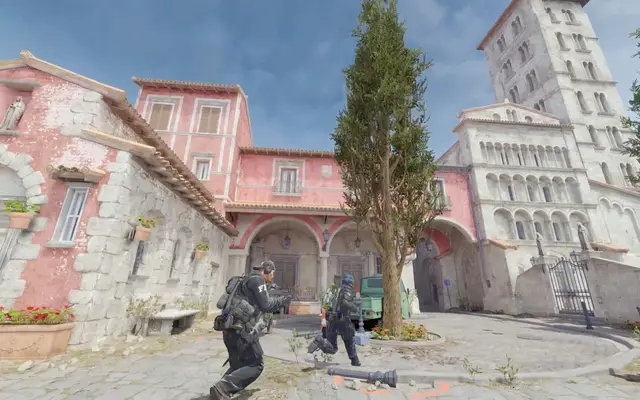
A look inside CS2
Real screenshots from the game. Click any of them to see it full size.
How much RAM does a CS2 server need?
Find the row that sounds like your group and we will point you at the right plan.
| Your server | RAM | Plan |
|---|---|---|
| 5v5 scrims, practice or wingman with friends | 4 GB | Starter$9.99/mo |
| Community server with plugins, up to 16 players | 6 GB | Standard$14.99/mo |
| Deathmatch, retakes or surf with a full 32 player lobby | 8 GB | Pro$19.99/mo |
This is the panel. Click around.
This is the CS2 panel you get. Click any button, or type a command.

CS2 Server
play.gamezservers.com:27015
[12:00:00] Starting Counter-Strike 2 server
[12:00:03] Loading world
[12:00:06] Server started on port 27015
[12:00:09] Ready for players. Try a button.
Power
CS2 actions
How to join your CS2 server
- 1
In Counter-Strike 2, open Settings, then Game, and set Enable Developer Console to Yes.
- 2
Press the ~ key to open the console.
- 3
If your server has a password, type password followed by it and press Enter.
- 4
Type connect
203.0.113.24:27015and press Enter.
Common problems
The console will not open
Turn on Enable Developer Console under Settings, Game first. The ~ key is just below Esc.
Kicked straight back to the menu
If the server has a password, type password followed by it before the connect command.
Server version mismatch after an update
Valve updates CS2 often. The owner restarts the server so it updates too, then everyone can join again.
Server not responding
Make sure the server is online. Servers sleep after 4 days with nobody playing, and anyone with access can start them again from the dashboard in one click.
Use the server address
Do not use localhost, 127.0.0.1 or your own IP from a home hosting guide. Copy the exact address of the server.
No port forwarding or firewall changes
Opening ports on your router is only for hosting a server at home, so there is nothing to change to join this one. If Windows asks whether to let the game through the firewall, choose Allow.
Modding your CS2 server
CS2 plugins run on Metamod:Source with CounterStrikeSharp on top, which powers retakes, practice mode, admin tools and match plugins. Workshop maps load straight from the Steam Workshop by ID, with nothing for players to install first.
Counter-Strike 2 server hosting, explained
A Counter-Strike 2 dedicated server is the full game installed through SteamCMD and started in dedicated mode, with launch options that pick the map, game type and mode, and player count. Valve matchmaking servers decide everything for you, while your own server lets you set the rules: private scrims, practice with infinite ammo and grenade trajectories, retakes, deathmatch, surf or a community night on Workshop maps.
To appear to the public and accept players from the internet, a CS2 server needs a Game Server Login Token, or GSLT. We make one for every server when it is set up, so there is no Steam page to visit and no token to paste. Round rules and other cvars go in server.cfg inside the game/csgo/cfg folder, while the name, passwords, map and mode are settings in the panel.
CS2 needs far less memory than survival games, but it cares a lot about CPU clock speed and network quality, because each tick is simulated on a single thread and every millisecond of latency is felt in a firefight. 4 GB is plenty for a 5v5, and plugin heavy community servers or 32 player lobbies are happier with 6 to 8 GB. Hosting with us means the GSLT, the start map, the game mode, map changes and match restarts are handled from the panel, and the server updates itself on every restart.
CS2 server guides
CS27 min readHow to Host a CS2 Server (Step by Step, 2026)
How to host a CS2 server with GamezServers: pick a plan, get your address in about 60 seconds with the GSLT already set, then set game modes, Workshop maps and admins.
ReadCS24 min readCS2 Server Hosting Cost: Scrims, Retakes and Community Servers
What a Counter-Strike 2 server costs per month for 5v5 scrims, practice, retakes, deathmatch or surf, the 2 USD a head 10 man split, and what is free.
ReadCS25 min readCS2 Server Not Showing in the Community Server Browser? Fixes
Your CS2 server runs but nobody can find it in the Community Server Browser. Check the GSLT, sv_lan, ports, filters and listing delay.
ReadCS25 min readHow to Set Up a Map Rotation on a CS2 Server (Map Groups)
Make a CS2 server cycle through your own map list with a map group in gamemodes_server.txt, end of match voting, or a Workshop collection.
ReadCS25 min readCS2 Metamod Not Loading After Update? Fix "Unknown command meta
CS2 plugins stopped after an update and meta list says Unknown command? Fix gameinfo.gi, update Metamod and CounterStrikeSharp, and stop it happening again.
ReadCS25 min readCS2 Rush Hour Update (September 2026): What Servers Need
The CS2 Rush Hour update landed on 22 September 2026: 3v3 Rush mode, Premier map picks, new crosshairs and a grenade limit fix. What it means for servers.
ReadIncluded on every plan
- Always on DDoS protection
- 24/7 support from real people
- Low ping game hardware
- Live the moment you pay
- Your own address and port
- Live console with full access
- One click game actions
- One click backups
- Upgrade or cancel any time
Common questions

Do I need a Steam game server token?
Every CS2 server needs its own GSLT so players can find and join it, and we make it for you when the server is set up. You do not need to create one or paste anything.
Is 4 GB enough?
For a 5v5 it is plenty. Go up for community servers with plugins.
Can I play Workshop maps?
Yes. Load any Workshop map by its ID with host_workshop_map and the server downloads it for you. Players get the map when they connect.
Can I run retakes, practice or deathmatch?
Yes. Deathmatch is a built in game mode, and retakes, practice mode and similar modes are CounterStrikeSharp plugins you can add.
Can I make the server private?
Yes. Set a join password and only people you share it with can join.
How do I switch to wingman, casual or deathmatch?
Change Game type and Game mode in the panel settings and restart. Type 0 with mode 1 is competitive, mode 2 wingman and mode 0 casual. Type 1 with mode 2 is deathmatch and mode 0 arms race.
Do plugins break after CS2 updates?
Sometimes. Valve updates can overwrite game/csgo/gameinfo.gi, the file that loads Metamod, so its Metamod line needs adding back, and Metamod or CounterStrikeSharp may need their own update. Check your plugins after every big patch.
Can my friends and I split the cost?
Yes. At checkout choose "Me and my friends" and up to 10 people each pay their own share with their own card, on any plan length, from 3 days to a year. It is not a payment plan: nobody pays in parts over time, each friend simply pays their own share. You pay yours, send each friend their link, and the server starts straight away. Each share includes a $1 payment fee.
Can I build a custom plan?
Yes. Every game has a Build your own page: pick any amount of RAM up to 32 GB, any length from 3 days to 1 year, prepaid or a subscription, plus your server type and settings. A custom size costs 15% more per GB than the standard plans next to it.
Can I pay once instead of a subscription?
Yes. Pick Prepaid and pay once for 3 days, 30 days, 6 months or a year. Nothing renews: when the time is up the server pauses and keeps its world for 14 days. Add time or switch to a subscription from your panel any time. Short rentals cost more per day, since every server is set up from scratch.
How fast is setup, really?
Your server starts building the moment Stripe confirms payment. Most are online in under a minute, and the address and login appear on your dashboard automatically.
Players who host CS2 also host
BATTALION: Legacy
Shooter · PvP · Competitive · Free to play
Counter-Strike: Source
Shooter · Competitive · PvP · Modded
ET Legacy
Shooter · Open source · Retro · Competitive

Medal of Honor: Allied Assault
Shooter · PvP · Retro · Competitive
Your CS2 server is a minute away
Your own server for scrims, pugs and community nights.
Deploy CS2 nowLive in 60 seconds · Cancel any time
Counter-Strike and the Counter-Strike logo are trademarks and/or registered trademarks of Valve Corporation. GamezServers is not affiliated with or endorsed by Valve.