

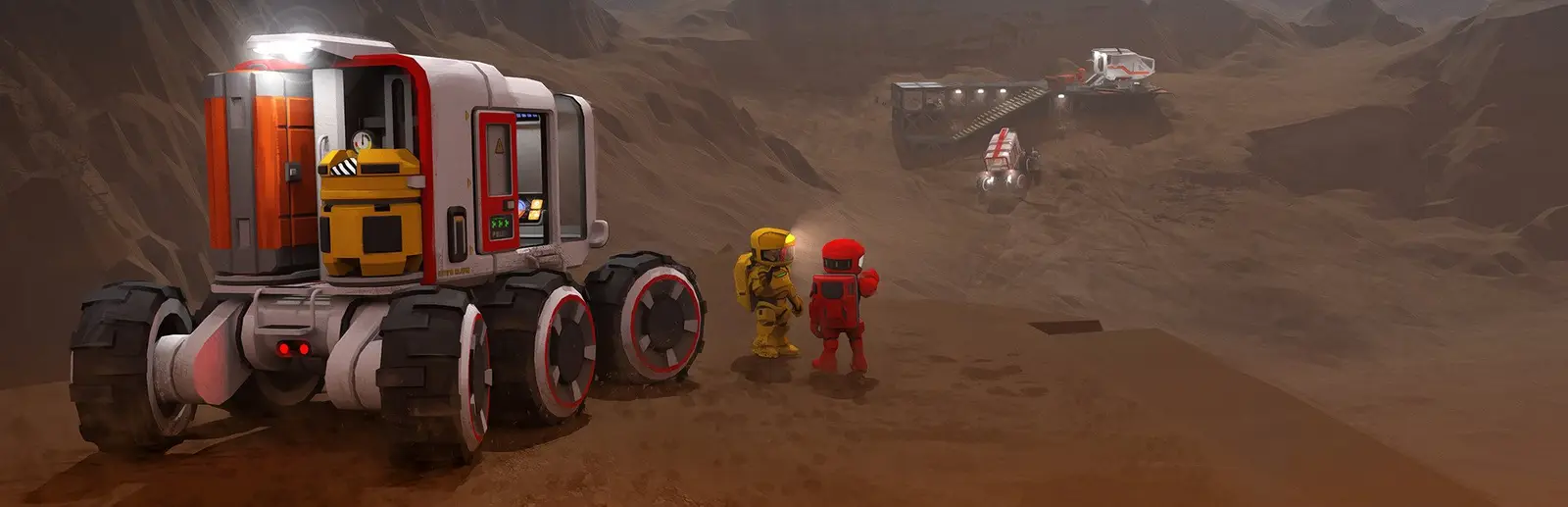
Stationeers server hosting
Keep a base breathing together on your own Stationeers server
Host a Stationeers server for co-op base building with atmospherics, power and farming. Choose map, difficulty and start, with a BepInEx type for mods.
Staying longer? Subscribe and get 50% off your first month
- DDoS protected
- 24/7 support
- Live the moment you pay

- Split the billUp to 10 friends, own cards
- Custom plansAny RAM up to 32 GB
- Prepaid or monthly3 days to 1 year
- Live in 60 secondsNo setup, no waiting
- Cancel any timeNo contracts, ever
Pick your Stationeers plan
Every plan is live the moment you pay. Upgrade or cancel from your dashboard any time.
Starter
4 GBThen $9.99/mo. $0.33 a day.
- 4 GB RAM
- 2 vCPU cores
- DDoS protection included
- 24/7 support
Standard
6 GBThen $14.99/mo. $0.50 a day.
Splitting with 3 friends? $4.77 each/mo
- 6 GB RAM
- 2 vCPU cores
- DDoS protection included
- 24/7 support
Pro
8 GBThen $19.99/mo. $0.67 a day.
Splitting with 3 friends? $6.02 each/mo
- 8 GB RAM
- 2 vCPU cores
- DDoS protection included
- 24/7 support
What comes set up on a Stationeers server
Pick your world
Lunar, Mars, Europa, Mimas, Vulcan or Venus, with the start location and start condition chosen in the panel.
Auto Pause when empty
Freeze the simulation while nobody is online, so crops and air supplies are where you left them.
IC10 automation
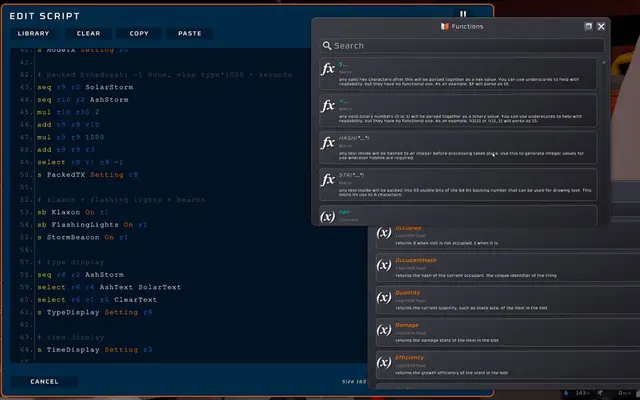
A persistent base is where IC10 scripts pay off: furnaces, airlocks and greenhouses that run while you sleep.
BepInEx server type
Switch to the BepInEx type in the panel and upload plugins to its plugins folder for server side mods.
A look inside Stationeers
Real screenshots from the game. Click any of them to see it full size.
How much RAM does a Stationeers server need?
Find the row that sounds like your group and we will point you at the right plan.
| Your server | RAM | Plan |
|---|---|---|
| Small crew on a fresh map | 4 GB | Starter$9.99/mo |
| Big automated base or 8+ players | 6 GB | Standard$14.99/mo |
| Large modded server with sprawling bases | 8 GB | Pro$19.99/mo |
This is the panel. Click around.
This is the Stationeers panel you get. Click any button, or type a command.

Stationeers Server
play.gamezservers.com:7777
[12:00:00] Starting Stationeers server
[12:00:03] Loading world
[12:00:06] Server started on port 7777
[12:00:09] Ready for players. Try a button.
Power
How to join your Stationeers server
- 1
Launch Stationeers and open the Join Game screen from the main menu.
- 2
Click Direct Connect.
- 3
Enter
203.0.113.24and confirm. - 4
Type {SERVER_PASSWD} if the server asks for a password.
Common problems
Direct connect only accepts a numeric IP and port. Use the exact 203.0.113.24 from your panel, not a domain name, or the button stays greyed out.
Start location names depend on the map. Pick one that belongs to the map you set, or the server fails to create the world.
Players must run the same game version as the server. If you set a Beta Branch in the panel, everyone switches to that branch in Steam too.
Turn Auto Pause on if you want the base frozen while away. Leave it off if you want furnaces and farms to keep running.
Server not responding
Make sure the server is online. Servers sleep after 4 days with nobody playing, and anyone with access can start them again from the dashboard in one click.
Use the server address
Do not use localhost, 127.0.0.1 or your own IP from a home hosting guide. Copy the exact address of the server.
No port forwarding or firewall changes
Opening ports on your router is only for hosting a server at home, so there is nothing to change to join this one. If Windows asks whether to let the game through the firewall, choose Allow.
Stationeers server hosting, explained
Stationeers is a hardcore engineering survival game from RocketWerkz. You build a base on a hostile world, then keep it alive by managing atmosphere, gases, temperature, power, manufacturing and food. Mistakes are physical: a leaky pipe can vent a room, and a bad gas mix can set the base on fire. In multiplayer, a crew of friends splits up the systems and argues about whose wiring caused the blackout.
Stationeers bases are long projects, often weeks of evenings, and a server keeps them going between sessions without anyone hosting from home. It is where IC10 programming really pays off: automated furnaces, airlocks, solar trackers and greenhouses that keep working whether anyone is online or not. Turn on Auto Pause instead if you want the world frozen while the crew is away.
Our panel exposes map, start location and start condition, difficulty from Creative to Stationeer, station name, auto save and save interval, max players, password and beta branch. You can also switch to a BepInEx server type for server side mods. Saves, logs and config files are in the file manager, and one click backups help before a risky update. Change the map or start condition only before the world is created, since they shape the new save.
Memory grows with the size of your base, the number of rooms, pipes and devices the server simulates, and the player count. A small crew on a fresh map fits 4 GB. Larger bases with lots of automation and IC10 logic, or a crew of eight or more, should use 6 GB. Big modded servers with sprawling bases can move up to 8 GB.
Stationeers server guides
Stationeers5 min readCan't Join a Stationeers Dedicated Server? Timeouts and Fixes
Fix Stationeers players timing out or being refused by a dedicated server: version and beta branch mismatch, StartLocalHost, ports 27016, LocalIpAddress, passwords and mods.
ReadStationeers5 min readStationeers Server Console Commands (Save, Kick, Ban, Pause)
Useful Stationeers dedicated server console commands: save, status, kick, ban, say, pause, cleanupplayers, deletelooseitems, storms and serverrun from a client.
ReadStationeers6 min readHow to Host a Stationeers Server (2026 Guide)
Host a Stationeers dedicated server: SteamCMD app 600760, launch with -settings, UDP 27016 and 27015, pick a world and difficulty, and move your save over.
ReadStationeers5 min readHow to Move a Stationeers Save to a Dedicated Server
Move a Stationeers base to a dedicated server: copy the station folder from My Games\Stationeers\saves, match the station name, and load it with -file start.
ReadIncluded on every plan
- Always on DDoS protection
- 24/7 support from real people
- Low ping game hardware
- Live the moment you pay
- Your own address and port
- Live console with full access
- One click game actions
- One click backups
- Upgrade or cancel any time
Common questions
How many players can join a Stationeers server?
Our setup defaults to 10 and accepts up to 30. Most crews are small, and a few engineers per base keeps things manageable.
How do I join a Stationeers dedicated server?
Open the Join Game screen, click Direct Connect and enter the server's IP and port. Domain names are not accepted there.
Which maps can the server run?
Lunar, Mars, Europa, Mimas, Vulcan and Venus. Pick the map, start location and start condition in the panel before the world is created.
Can I add mods to a Stationeers server?
Yes. Switch to the Stationeers (BepInEx) server type and upload plugins to the BepInEx plugins folder. Some mods also need every player to install them.
Should I turn on Auto Pause?
Turn it on if you want the world frozen while nobody plays. Leave it off if you want the station to keep running while the crew is away.
Can I bring my single player save?
Yes. Upload the save folder through SFTP and set the station name in the panel to match it, then restart.
How much RAM does a Stationeers server need?
4 GB for a small crew, 6 GB for a big automated base and 8 GB for large modded servers.
Is GamezServers affiliated with Stationeers?
No. You rent and control your own dedicated Stationeers server. GamezServers is not affiliated with the game's developer or publisher.
Can my friends and I split the cost?
Yes. At checkout choose "Me and my friends" and up to 10 people each pay their own share with their own card, on any plan length, from 3 days to a year. It is not a payment plan: nobody pays in parts over time, each friend simply pays their own share. You pay yours, send each friend their link, and the server starts straight away. Each share includes a $1 payment fee.
Can I build a custom plan?
Yes. Every game has a Build your own page: pick any amount of RAM up to 32 GB, any length from 3 days to 1 year, prepaid or a subscription, plus your server type and settings. A custom size costs 15% more per GB than the standard plans next to it.
Can I pay once instead of a subscription?
Yes. Pick Prepaid and pay once for 3 days, 30 days, 6 months or a year. Nothing renews: when the time is up the server pauses and keeps its world for 14 days. Add time or switch to a subscription from your panel any time. Short rentals cost more per day, since every server is set up from scratch.
How fast is setup, really?
Your server starts building the moment Stripe confirms payment. Most are online in under a minute, and the address and login appear on your dashboard automatically.
Players who host Stationeers also host



Your Stationeers server is a minute away
Keep a base breathing together on your own Stationeers server
Deploy Stationeers nowLive in 60 seconds · Cancel any time
GamezServers is not affiliated with RocketWerkz. Stationeers and its art are trademarks of their respective owners.