

Vintage Story server hosting
A Vintage Story world your group can settle for months, not a weekend
Host a Vintage Story server for your group: a whitelisted world that keeps its seasons, mods from the official ModDB that sync on join, and a version picker.
Staying longer? Subscribe and get 50% off your first month
- DDoS protected
- 24/7 support
- Live the moment you pay

- Split the billUp to 10 friends, own cards
- Custom plansAny RAM up to 32 GB
- Prepaid or monthly3 days to 1 year
- Live in 60 secondsNo setup, no waiting
- Cancel any timeNo contracts, ever
Pick your Vintage Story plan
Every plan is live the moment you pay. Upgrade or cancel from your dashboard any time.
Starter
4 GBThen $9.99/mo. $0.33 a day.
- 4 GB RAM
- 2 vCPU cores
- DDoS protection included
- 24/7 support
Standard
8 GBThen $19.99/mo. $0.67 a day.
Splitting with 3 friends? $6.02 each/mo
- 8 GB RAM
- 2 vCPU cores
- DDoS protection included
- 24/7 support
Pro
12 GBThen $29.99/mo. $1.00 a day.
Splitting with 3 friends? $8.52 each/mo
- 12 GB RAM
- 3 vCPU cores
- DDoS protection included
- 24/7 support
What comes set up on a Vintage Story server
Seasons keep turning
Crops ripen, food spoils and winter arrives on schedule, with the world running for whoever logs in next.
Whitelist by default
Dedicated servers only let in players you add, so a private group server stays private from day one.
Mods sync on join
Upload mods from the official ModDB and players are offered the server side and universal ones automatically when they connect.
Pick the exact version
Choose stable, unstable or pre-release and a version number, so the server matches the client your group runs.
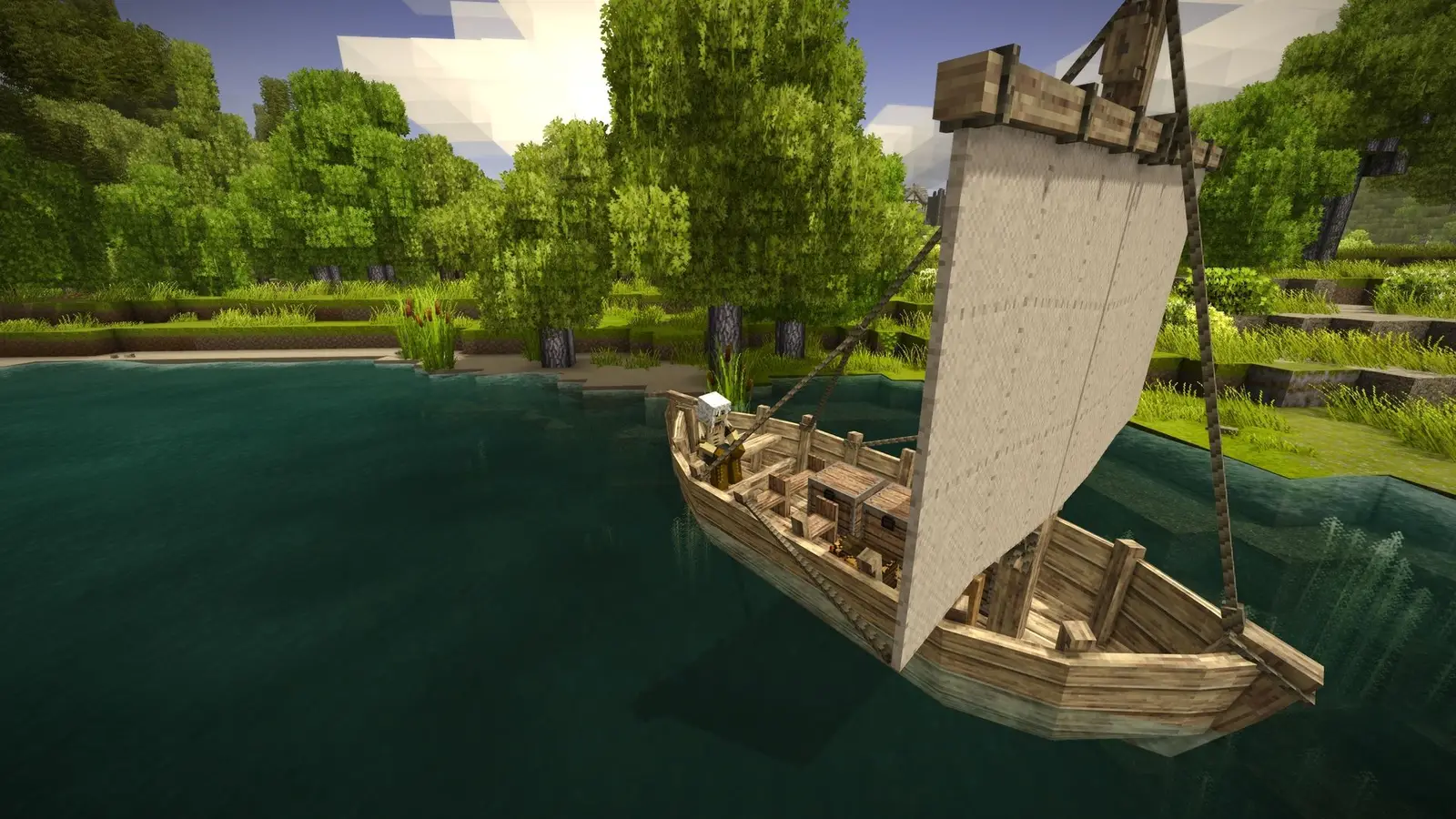
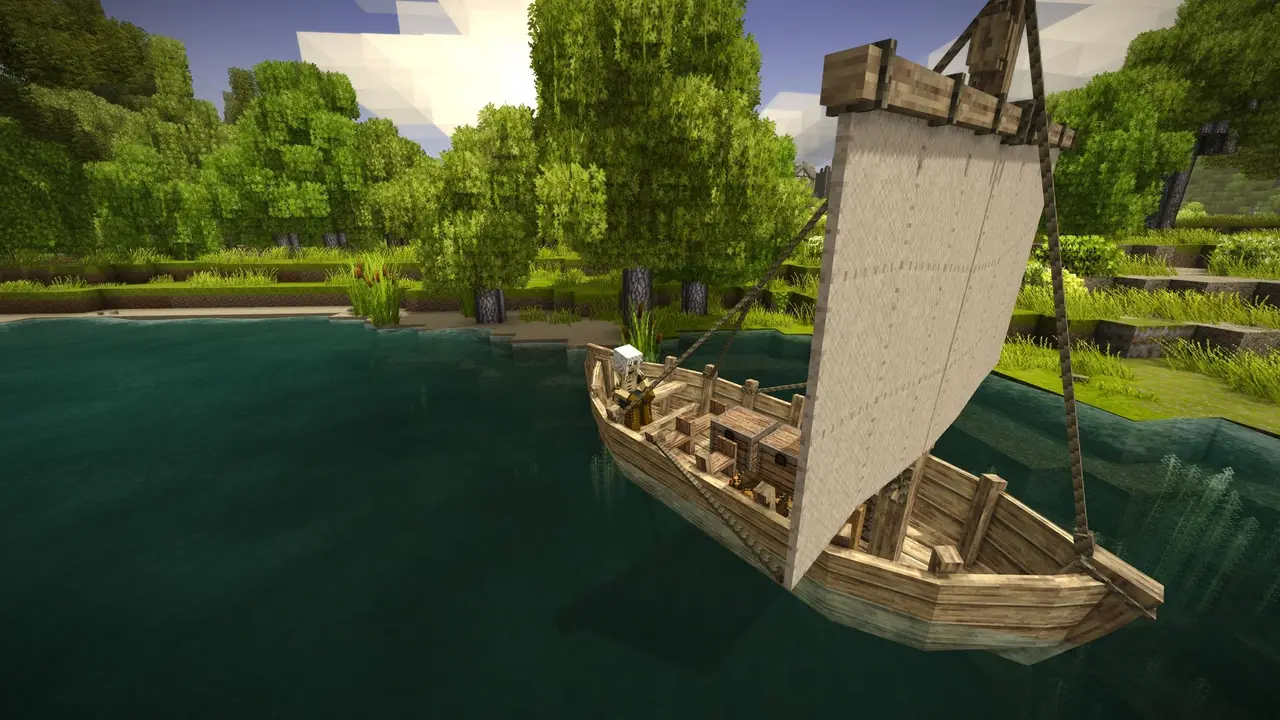
A look inside Vintage Story
Real screenshots from the game. Click any of them to see it full size.
How much RAM does a Vintage Story server need?
Find the row that sounds like your group and we will point you at the right plan.
| Your server | RAM | Plan |
|---|---|---|
| Vanilla world for 2 to 6 players | 4 GB | Starter$9.99/mo |
| Modded world or 8 plus players | 8 GB | Standard$19.99/mo |
| Large modpack with a busy server | 12 GB | Pro$29.99/mo |
This is the panel. Click around.
This is the Vintage Story panel you get. Click any button, or type a command.

Vintage Story Server
play.gamezservers.com:7777
[12:00:00] Starting Vintage Story server
[12:00:03] Loading world
[12:00:06] Server started on port 7777
[12:00:09] Ready for players. Try a button.
Power
How to join your Vintage Story server
- 1
Open Vintage Story and click Multiplayer.
- 2
Click Add server, give it a name and enter
203.0.113.24as the host. - 3
Add the password from your panel if you set one, then save.
- 4
Click the server in your list to join, and accept the mod download if it asks.
- 5
If it says you are not whitelisted, ask the server owner to add your name.
Common problems
A new player cannot get in? Dedicated servers whitelist by default. Run /player NAME whitelist on in the panel console or in game as an admin.
Make yourself admin with /op NAME in the panel console, then do the rest from in game chat.
Server and clients must run the same game version. When you change the release version in the panel, have everyone update before they join.
Big content mods can break an old world after an update. Take a one click backup before updating the game or any mod.
Server not responding
Make sure the server is online. Servers sleep after 4 days with nobody playing, and anyone with access can start them again from the dashboard in one click.
Use the server address
Do not use localhost, 127.0.0.1 or your own IP from a home hosting guide. Copy the exact address of the server.
No port forwarding or firewall changes
Opening ports on your router is only for hosting a server at home, so there is nothing to change to join this one. If Windows asks whether to let the game through the firewall, choose Allow.
Modding your Vintage Story server
Vintage Story has an official ModDB at mods.vintagestory.at, and most mods run on the server and sync to players when they join. Groups often add quality of life mods first, then bigger content packs.
Vintage Story server hosting, explained
Vintage Story is a slow, demanding survival sandbox. You knap flint, fire clay in pit kilns, smelt copper and alloy bronze, farm through real seasons and dig into ruins that hint at something worse underground. The 1.22 update in April 2026 added fishing, grindstones and blade sharpening, more metalworking and dynamic dungeons, and stable patches have followed since. It is a game about patience, and that suits a server that never closes.
Multiplayer suits the pace. Groups build a shared settlement and split the long crafting chains: one player handles pottery and cooking, another runs the forge, someone else goes prospecting. A dedicated server is what makes that work, because crops keep growing, food keeps spoiling and temporal storms keep coming whether or not the host is online. Some communities run public servers with land claims and trading, but most servers are friend groups on one world for months.
In the panel you pick the release branch (stable, unstable or pre-release), the exact version, max clients and extra start options. World and rules settings sit in serverconfig.json in the file manager, and admins use commands like /op, /player and /land. Mods go in the Mods folder over SFTP, and you can upload a single player save to keep playing it with friends.
The developers suggest about 1 GB of base RAM plus around 300 MB per player, with mods on top. Explored terrain also grows over time. A vanilla world for two to six friends fits on 4 GB. Modded worlds or groups of eight and up should take 8 GB, and large modpacks on a busy server want 12 GB. Moving up a plan later is easy if the world outgrows it.
Vintage Story server guides
Vintage Story6 min readVintage Story Server Commands: Admin, Roles, Whitelist and World
The Vintage Story server commands admins use: /op, roles, whitelist, kick and ban, /serverconfig, time, weather, teleport, land claims and backups.
ReadVintage Story6 min readHow to Host a Vintage Story Server (2026 Guide)
Host a Vintage Story server: run VintagestoryServer, edit serverconfig.json, open port 42420 TCP and UDP, set world generation, add mods and whitelist players.
ReadVintage Story5 min readHow to Install Mods on a Vintage Story Server
Install mods on a Vintage Story server: zips from the ModDB into the data folder's Mods folder or /moddb install, matching versions, and how players get them.
ReadVintage Story5 min readHow to Move a Vintage Story World to a Server
Move a Vintage Story world to a server: upload the .vcdbs save to Saves, set SaveFileLocation in serverconfig.json to the server's path, match mods.
ReadIncluded on every plan
- Always on DDoS protection
- 24/7 support from real people
- Low ping game hardware
- Live the moment you pay
- Your own address and port
- Live console with full access
- One click game actions
- One click backups
- Upgrade or cancel any time
Common questions
How many players can a Vintage Story server hold?
Our servers start at 16 and the Max Clients setting goes up to 256. Most private worlds have far fewer, and RAM should grow by around 300 MB per extra player.
How do I add players to the whitelist?
Run /player followed by their name and whitelist on, from the panel console or in game as an admin. Dedicated servers whitelist by default, so new players cannot join until you add them.
How do I make myself admin?
Type /op followed by your player name in the panel console. After that you can run admin commands from in game chat.
Do players have to install my server's mods?
Mostly no. Mods marked server side or universal are offered to players automatically when they join, and client only mods are optional.
Where do I get mods?
From the official ModDB at mods.vintagestory.at. Download the version that matches your game version and upload it to the Mods folder with the file manager or SFTP.
Can I upload my single player world?
Yes. Upload the .vcdbs save into the server's Saves folder, then point serverconfig.json at it or rename it to the default save name. Take a backup first.
How do I update the game version?
Change the release version in the panel and restart. Players need the same version, so update everyone together and check your mods support it.
Can I reset the world?
Yes. Stop the server and rename or delete the save in the Saves folder, and a new world generates on the next start. Make a backup if you might want it back.
Is GamezServers affiliated with Vintage Story?
No. You rent and control your own dedicated Vintage Story server. GamezServers is not affiliated with the game's developer or publisher.
Can my friends and I split the cost?
Yes. At checkout choose "Me and my friends" and up to 10 people each pay their own share with their own card, on any plan length, from 3 days to a year. It is not a payment plan: nobody pays in parts over time, each friend simply pays their own share. You pay yours, send each friend their link, and the server starts straight away. Each share includes a $1 payment fee.
Can I build a custom plan?
Yes. Every game has a Build your own page: pick any amount of RAM up to 32 GB, any length from 3 days to 1 year, prepaid or a subscription, plus your server type and settings. A custom size costs 15% more per GB than the standard plans next to it.
Can I pay once instead of a subscription?
Yes. Pick Prepaid and pay once for 3 days, 30 days, 6 months or a year. Nothing renews: when the time is up the server pauses and keeps its world for 14 days. Add time or switch to a subscription from your panel any time. Short rentals cost more per day, since every server is set up from scratch.
How fast is setup, really?
Your server starts building the moment Stripe confirms payment. Most are online in under a minute, and the address and login appear on your dashboard automatically.
Players who host Vintage Story also host

Your Vintage Story server is a minute away
A Vintage Story world your group can settle for months, not a weekend
Deploy Vintage Story nowLive in 60 seconds · Cancel any time
GamezServers is not affiliated with Anego Studios. Vintage Story and its art are trademarks of their respective owners.