

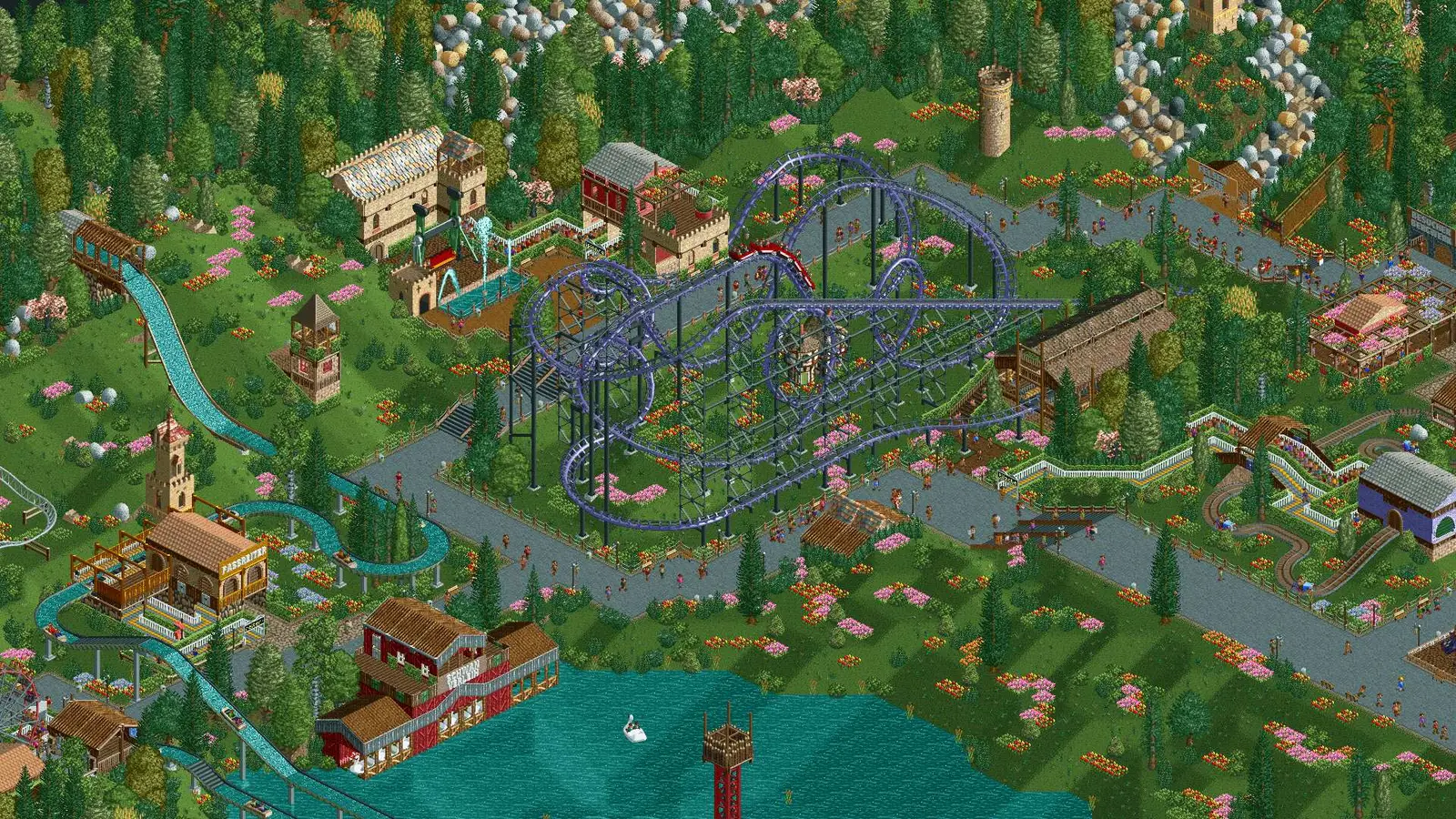
OpenRCT2 server hosting
One theme park your whole group builds together, live
Host an OpenRCT2 server so friends can build one RollerCoaster Tycoon 2 park together. 16 players by default, autosaves, a password and pausing when empty.
Staying longer? Subscribe and get 50% off your first month
- DDoS protected
- 24/7 support
- Live the moment you pay

- Split the billUp to 10 friends, own cards
- Custom plansAny RAM up to 32 GB
- Prepaid or monthly3 days to 1 year
- Live in 60 secondsNo setup, no waiting
- Cancel any timeNo contracts, ever
Pick your OpenRCT2 plan
Every plan is live the moment you pay. Upgrade or cancel from your dashboard any time.
Starter
2 GBThen $4.99/mo. $0.17 a day.
- 2 GB RAM
- 2 vCPU cores
- DDoS protection included
- 24/7 support
Standard
4 GBThen $9.99/mo. $0.33 a day.
- 4 GB RAM
- 2 vCPU cores
- DDoS protection included
- 24/7 support
Pro
8 GBThen $19.99/mo. $0.67 a day.
Splitting with 3 friends? $6.02 each/mo
- 8 GB RAM
- 2 vCPU cores
- DDoS protection included
- 24/7 support
What comes set up on a OpenRCT2 server
Build the same park
Everyone works on one park at once: one lays track, one fixes queue lines, one panics about the loan. 16 slots by default.
Autosaves you control
Pick how often the park autosaves and how many saves to keep, and have the server resume from the latest one on restart.
Pause when empty
Turn on Pause Server If No Clients and the park freezes overnight instead of burning through your money with nobody watching.
Name, greeting, password
Set the server name, description, greeting message and password in the panel, and choose whether it is advertised publicly.
A look inside OpenRCT2
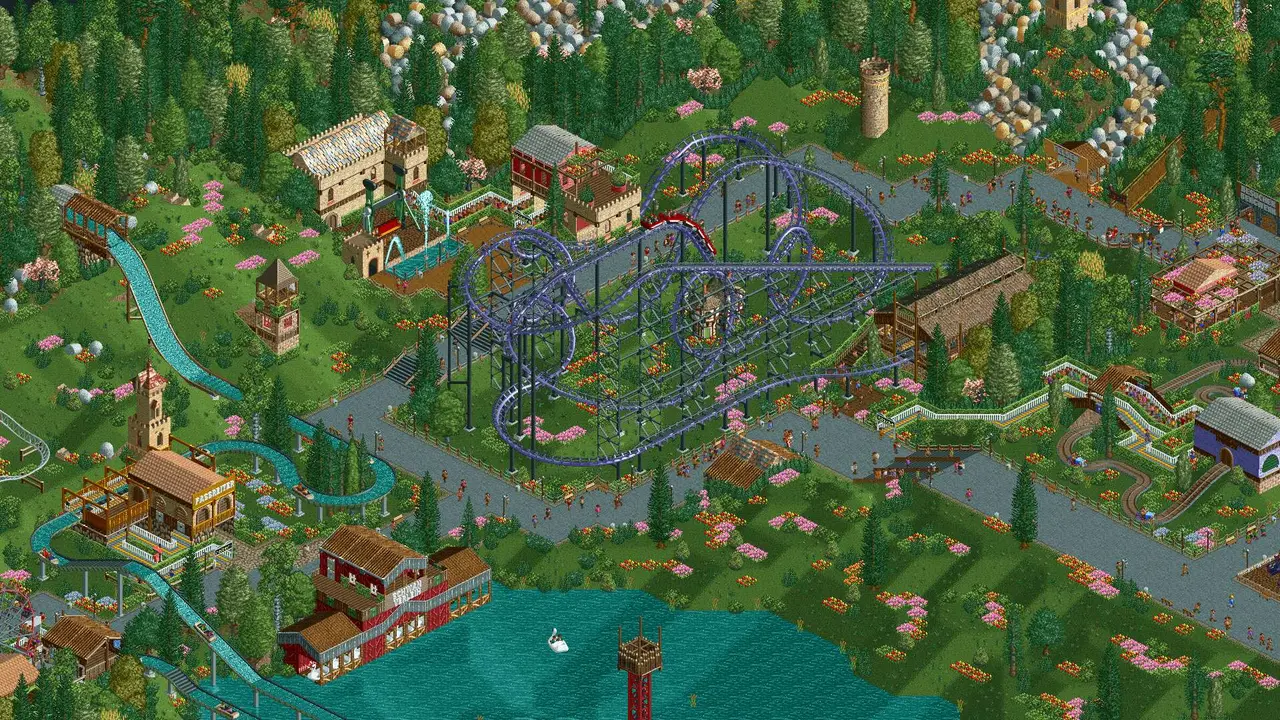
Real screenshots from the game. Click any of them to see it full size.
How much RAM does a OpenRCT2 server need?
Find the row that sounds like your group and we will point you at the right plan.
| Your server | RAM | Plan |
|---|---|---|
| Shared park for a few friends | 2 GB | Starter$4.99/mo |
| Full 16 player park | 4 GB | Standard$9.99/mo |
| Huge park with thousands of guests and plugins | 8 GB | Pro$19.99/mo |
This is the panel. Click around.
This is the OpenRCT2 panel you get. Click any button, or type a command.

OpenRCT2 Server
play.gamezservers.com:7777
[12:00:00] Starting OpenRCT2 server
[12:00:03] Loading world
[12:00:06] Server started on port 7777
[12:00:09] Ready for players. Try a button.
Power
How to join your OpenRCT2 server
- 1
Install OpenRCT2 and point it at your RollerCoaster Tycoon 2 or RCT Classic files on first launch.
- 2
Click Multiplayer on the title screen and set your player name.
- 3
Click Add Server, enter
203.0.113.24and confirm. - 4
Select the server and join, entering the password if one is set.
Common problems
The server needs an existing park to start. Upload a .park, .sv6 or .sv4 save over SFTP and point the Save File setting at it before the first boot.
OpenRCT2 refuses to connect when client and server builds differ. Set OpenRCT2 Version in the panel to the exact release your group has installed, for example v0.5.5, or keep everyone on the latest.
Leave Load Latest Autosave on so a restart picks up where the group left off instead of reloading the original save.
Private park? Set Advertise Server to false and a Server Password, then share 203.0.113.24 with your group.
Server not responding
Make sure the server is online. Servers sleep after 4 days with nobody playing, and anyone with access can start them again from the dashboard in one click.
Use the server address
Do not use localhost, 127.0.0.1 or your own IP from a home hosting guide. Copy the exact address of the server.
No port forwarding or firewall changes
Opening ports on your router is only for hosting a server at home, so there is nothing to change to join this one. If Windows asks whether to let the game through the firewall, choose Allow.
Modding your OpenRCT2 server
OpenRCT2 servers can run JavaScript plugins that add admin tools and new features, and parks can use custom scenery and ride objects shared in the community.
OpenRCT2 server hosting, explained
OpenRCT2 is an open source rebuild of RollerCoaster Tycoon 2 that fixes bugs, raises the old limits and adds real online multiplayer. Everyone works on the same park at the same time. One person lays out a wooden coaster, another builds the paths and queue lines, someone hires handymen, and the whole group argues about ticket prices. Players still need the original RollerCoaster Tycoon 2 or RCT Classic files, since OpenRCT2 uses them for graphics and content.
A dedicated server means the park exists even when the person who started it is asleep. Long term group parks, weekly build nights and challenge scenarios all work better when the park has a fixed home that anyone in the group can open. Regular releases keep landing, so being able to choose which OpenRCT2 version the server runs saves a lot of connection errors.
Our panel exposes the settings that matter: the save to load or whether to resume the latest autosave, autosave interval and how many to keep, max players, password, public advertising, server name and description, a greeting, provider details, chat and action logging, and pausing when nobody is connected. Player groups and permissions are set in game by an admin, and plugins and saves upload through the file manager or SFTP. One click backups are a good habit before a big park overhaul.
Parks are light to simulate compared with most games we host, though very large parks with thousands of guests do use more CPU and memory. A shared park with a few builders runs on 2 GB, and 4 GB covers a full 16 player server. Go to 8 GB for giant scenario parks with plugins. Sleep when empty, separate from the in game pause, can stop the server after 4 days with nobody on.
OpenRCT2 server guides
OpenRCT25 min readHow to Host an OpenRCT2 Server (Headless Multiplayer Guide)
Host an OpenRCT2 multiplayer server: openrct2-cli host with --headless, config.ini network settings, TCP port 11753, autosaves and admin rights.
ReadOpenRCT25 min readHow to Make Yourself Admin on an OpenRCT2 Server (users.json)
Become admin on a headless OpenRCT2 server: find your key hash, add it to users.json with groupId 0, then set groups so friends can build, not just spectate.
ReadOpenRCT25 min readOpenRCT2 Server Version Mismatch and Desync Fixes
Fix OpenRCT2 multiplayer errors: "Incorrect Software Version", "Network desync detected", Bad Password, whitelists and "Unable to advertise" on a server.
ReadIncluded on every plan
- Always on DDoS protection
- 24/7 support from real people
- Low ping game hardware
- Live the moment you pay
- Your own address and port
- Live console with full access
- One click game actions
- One click backups
- Upgrade or cancel any time
Common questions
How many players can join an OpenRCT2 server?
Our setup defaults to 16 and you can change Max Players in the panel. Most groups find a handful of builders easier to coordinate in one park.
Do players need RollerCoaster Tycoon 2?
Yes. Each player needs OpenRCT2 plus the original RCT2 or RCT Classic files. The server side is handled for you.
Why can I not connect?
Usually a version mismatch, because client and server must run the same OpenRCT2 build. Match your install to the OpenRCT2 Version setting in the panel.
How do I load my own park?
Upload your .park or .sv6 save over SFTP and set it as the Save File in the panel. Turn off Load Latest Autosave for the first start if older autosaves exist.
Will the park keep running when everyone leaves?
Only if you want it to. Pause Server If No Clients freezes time when the park is empty, which stops money and guests draining overnight.
How do I make myself admin?
Open users.json in the server's data folder with the file manager and add your key hash with groupId 0, the Admin group. Your hash is in the user-data/keys folder of your own OpenRCT2 install, and the file reloads on each join.
Can I use plugins on the server?
Yes. Put JavaScript plugins in the plugin folder with the file manager or SFTP and restart. Remote plugins are sent to players when they join.
Is OpenRCT2 free?
OpenRCT2 is free and open source, but it needs the original game files, so each player must own RollerCoaster Tycoon 2 or RCT Classic.
Is GamezServers affiliated with OpenRCT2?
No. You rent and control your own dedicated OpenRCT2 server. GamezServers is not affiliated with the game's developer or publisher.
Can my friends and I split the cost?
Yes. At checkout choose "Me and my friends" and up to 10 people each pay their own share with their own card, on any plan length, from 3 days to a year. It is not a payment plan: nobody pays in parts over time, each friend simply pays their own share. You pay yours, send each friend their link, and the server starts straight away. Each share includes a $1 payment fee.
Can I build a custom plan?
Yes. Every game has a Build your own page: pick any amount of RAM up to 32 GB, any length from 3 days to 1 year, prepaid or a subscription, plus your server type and settings. A custom size costs 15% more per GB than the standard plans next to it.
Can I pay once instead of a subscription?
Yes. Pick Prepaid and pay once for 3 days, 30 days, 6 months or a year. Nothing renews: when the time is up the server pauses and keeps its world for 14 days. Add time or switch to a subscription from your panel any time. Short rentals cost more per day, since every server is set up from scratch.
How fast is setup, really?
Your server starts building the moment Stripe confirms payment. Most are online in under a minute, and the address and login appear on your dashboard automatically.
Players who host OpenRCT2 also host

Your OpenRCT2 server is a minute away
One theme park your whole group builds together, live
Deploy OpenRCT2 nowLive in 60 seconds · Cancel any time
GamezServers is not affiliated with OpenRCT2 team. OpenRCT2 and its art are trademarks of their respective owners.