

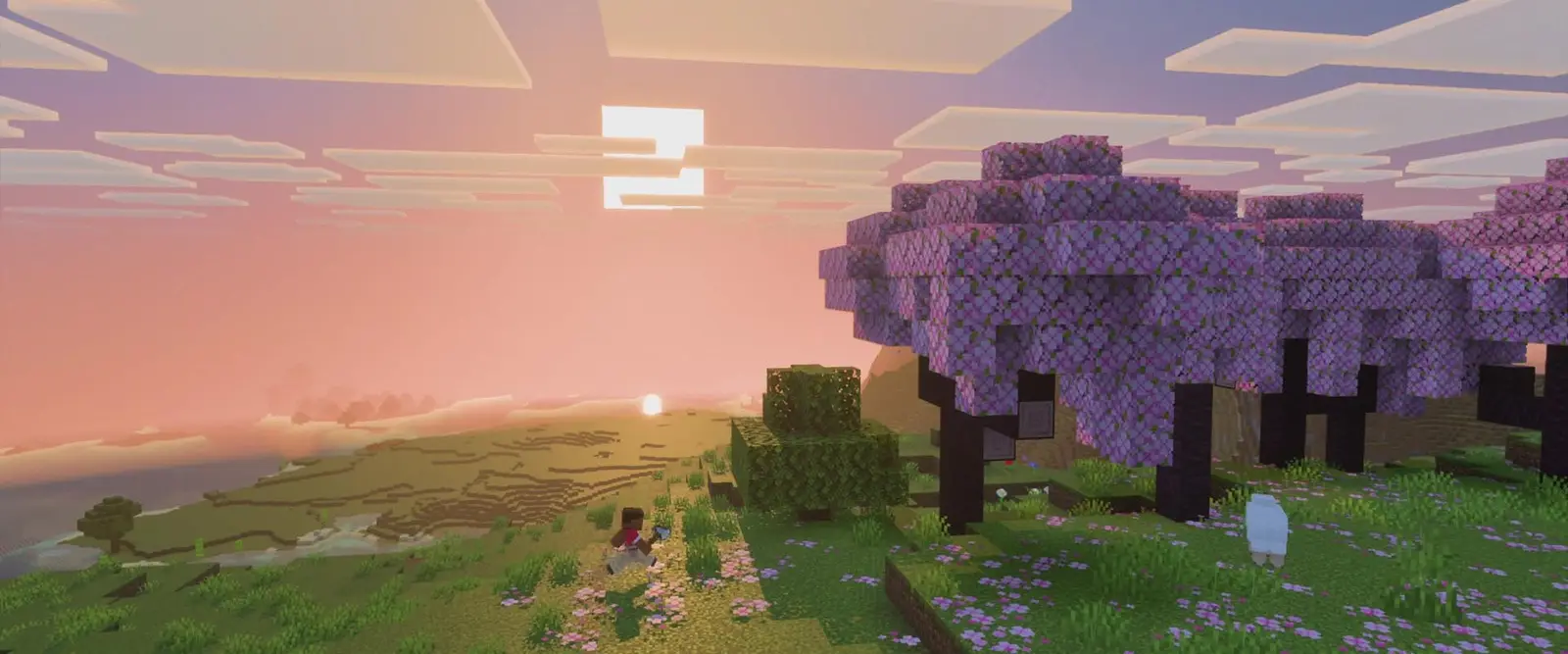
Plugin servers for growing communities
Ranks, claims and rollbacks, with nothing for players to install.
Every server starts on Paper with the plugins folder ready, and Purpur is one switch away. Upload your jars, restart, and players join with the normal Minecraft: Java Edition client.
Staying longer? Subscribe and get 50% off your first month
- DDoS protected
- 24/7 support
- Live the moment you pay

- Split the billUp to 10 friends, own cards
- Custom plansAny RAM up to 32 GB
- Prepaid or monthly3 days to 1 year
- Live in 60 secondsNo setup, no waiting
- Cancel any timeNo contracts, ever
Everything a plugin stack needs
Paper or Purpur, switched in Settings
Paper runs Bukkit and Spigot plugins with better chunk loading and a long list of vanilla fixes, which is why new servers start on it. If you want rideable mobs and the other gameplay toggles in purpur.yml, change the server type to Purpur. It runs every Paper plugin, so switching between the two is painless and your world stays.
We do not offer Spigot as a server type, because anything listed for Spigot runs on Paper, and newer plugins built on the Paper API may not run on Spigot at all.
Install from Hangar, Modrinth or SpigotMC
Download the build for your Minecraft version, open the Files tab and upload the jar straight into plugins. For a whole stack at once, click Show SFTP login and use FileZilla or WinSCP. Then press Restart rather than typing /reload, and run plugins in the console: green names loaded, red names did not.
Each plugin writes its config to plugins/<PluginName>/config.yml, which you edit in the browser or over SFTP with full file access on every plan.
Ranks, rollbacks and protection for a community
Community servers live on a familiar stack. LuckPerms gives groups like member and admin their permission nodes through its web editor, CoreProtect logs every block and chest so griefing is undone with one rollback, and WorldGuard keeps spawn, shops and arenas protected. DiscordSRV links server chat with your Discord.
For the day to day, the panel has buttons to whitelist, op, kick, ban and unban players, so moderators who are not at a computer with the console open can still act fast.
Headroom for a growing player base
Plugins are light: EssentialsX, LuckPerms, CoreProtect and GriefPrevention together barely move memory. Players and loaded chunks are what grow. Pro gives you 8 GB for up to 60 players at 19.99 USD a month, and Elite gives 12 GB for up to 120 players when the server goes public.
Paper bundles spark, so spark health shows memory, TPS and CPU, and the panel shows live memory next to the console. When the numbers say it is time, upgrade from the dashboard and only pay the prorated difference.
Test plugin updates with a safety net
Click Backup before updating anything that stores player data, like CoreProtect or GriefPrevention, and roll back in one click if the new version misbehaves. After a Minecraft release, wait until every plugin you rely on lists the new version before you change it. A server a week behind beats one that starts with half its plugins red.
Pick your Minecraft plan
Every plan is live the moment you pay. Upgrade or cancel from your dashboard any time.

Starter
2 GBThen $4.99/mo. $0.17 a day.
- 2 GB RAM
- 2 vCPU cores
- Up to 5 players
- DDoS protection included
- 24/7 support
Standard
4 GBThen $9.99/mo. $0.33 a day.
- 4 GB RAM
- 2 vCPU cores
- Up to 12 players
- DDoS protection included
- 24/7 support
Pro
8 GBThen $19.99/mo. $0.67 a day.
Splitting with 3 friends? $6.02 each/mo
- 8 GB RAM
- 2 vCPU cores
- Up to 30 players
- DDoS protection included
- 24/7 support
Elite
12 GBThen $29.99/mo. $1.00 a day.
Splitting with 3 friends? $8.52 each/mo
- 12 GB RAM
- 3 vCPU cores
- Up to 60 players
- DDoS protection included
- 24/7 support
What comes set up on a Minecraft server
Paper or Purpur
Swap between them in Settings, with the same plugins and the same world.
Files tab and SFTP
Upload single jars in the browser or whole plugin stacks over SFTP.
Moderation buttons
Whitelist, op, kick, ban and unban from the panel without typing commands.
Room to grow
Pro holds up to 60 players on 8 GB and Elite up to 120 on 12 GB.
Backups on demand
Take a backup before a risky plugin update and restore it in one click.
DDoS protection
Every plan sits behind DDoS protection at no extra cost.
A look inside Minecraft
Real screenshots from the game. Click any of them to see it full size.
This is the panel. Click around.
This is the Minecraft panel you get. Click any button, or type a command.

Minecraft Server
play.gamezservers.com:25565
[12:00:00] Starting Minecraft: Java Edition server
[12:00:03] Loading world
[12:00:06] Server started on port 25565
[12:00:09] Ready for players. Try a button.
Power
Minecraft actions
How to join your Minecraft server
- 1
Open Minecraft: Java Edition on the same version as your server.
- 2
Click Multiplayer, then Add Server.
- 3
Paste
203.0.113.24:25565as the Server Address, including the port, and click Done. - 4
Double click the server in your list to join. Send the same address to your friends.
Common problems
Include the port
Paste the whole address, including the colon and the number after it. Without the port Minecraft looks in the wrong place and says it cannot connect.
"Outdated client" or "Outdated server"
Your game and the server are on different versions. Ask the owner which version the server runs, then in the Minecraft Launcher open Installations, click New installation, pick that version and play it.
Playing on phone, console or Bedrock?
Only Minecraft: Java Edition on PC and Mac can join a Java server. Bedrock players need the owner to install Geyser first.
Commands say you do not have permission
Commands like /gamemode only work for operators. The owner can make you one with Make operator in the dashboard.
Server not responding
Make sure the server is online. Servers sleep after 4 days with nobody playing, and anyone with access can start them again from the dashboard in one click.
Use the server address
Do not use localhost, 127.0.0.1 or your own IP from a home hosting guide. Copy the exact address of the server.
No port forwarding or firewall changes
Opening ports on your router is only for hosting a server at home, so there is nothing to change to join this one. If Windows asks whether to let the game through the firewall, choose Allow.
Common questions
Do players need to install plugins to join?
No. Plugins only run on the server. Players join with the normal Minecraft: Java Edition client on the same version as the server.
Can I run Forge or Fabric mods alongside plugins?
No. Plugins run on Paper and Purpur, mods run on Fabric, Forge and NeoForge, and hybrids that try to do both break often, so we do not offer them.
Which plan for a community server with plugins?
A typical plugin set with 10 to 25 players runs comfortably on Standard with 4 GB. Pick Pro with 8 GB for up to 60 players, or Elite with 12 GB for up to 120. Map plugins that render the world use extra memory.
Do Spigot plugins work?
Yes. Paper and Purpur run Bukkit and Spigot plugins, and most plugin pages list Paper as supported.
Can I use premium plugins?
Yes. Any plugin jar built for Paper or Bukkit on your Minecraft version goes in the plugins folder. Buy from the author's own page, since a plugin runs with full access to your server files.
Can Bedrock players join with Geyser?
Geyser and Floodgate are plugins, so they install like any other. Our Java plans have one port, so set clone-remote-port to true and run geyser connectiontest. If it fails, email support and we check UDP on your port with you.
Can I run mods and modpacks?
Yes. Choose Fabric, Forge or NeoForge on the Minecraft version your mods need, then upload them to the mods folder. Bigger modpacks run best on 8 GB or more.
Does Bedrock work?
This plan runs Java Edition. Bedrock players can join through Geyser if you add it.
Can I upload my existing world?
Yes. Upload your world folder and it loads on the next start.
Can my friends and I split the cost?
Yes. At checkout choose "Me and my friends" and up to 10 people each pay their own share with their own card, on any plan length, from 3 days to a year. It is not a payment plan: nobody pays in parts over time, each friend simply pays their own share. You pay yours, send each friend their link, and the server starts straight away. Each share includes a $1 payment fee.
Can I build a custom plan?
Yes. Every game has a Build your own page: pick any amount of RAM up to 32 GB, any length from 3 days to 1 year, prepaid or a subscription, plus your server type and settings. A custom size costs 15% more per GB than the standard plans next to it.
Can I pay once instead of a subscription?
Yes. Pick Prepaid and pay once for 3 days, 30 days, 6 months or a year. Nothing renews: when the time is up the server pauses and keeps its world for 14 days. Add time or switch to a subscription from your panel any time. Short rentals cost more per day, since every server is set up from scratch.
How fast is setup, really?
Your server starts building the moment Stripe confirms payment. Most are online in under a minute, and the address and login appear on your dashboard automatically.
Minecraft servers for every crew
Cheap servers
A cheap Minecraft server that is honest about it
Small price, full panel, no corners cut on the basics.
Free servers
A free Minecraft server without the free host catch
A real paid server, with your share link paying the bill.
Private server
A private Minecraft server, just for your friends
Your world, your whitelist, nobody else.
Server rental
Rent a Minecraft server
Pay for a weekend, a month or a year. Live the moment you pay.
SMP servers
Your friend group's SMP, always there
One survival world that keeps going when you log off.
Modded servers
Modded Minecraft servers, loader included
Your modpack online, without the installer.
Minecraft server guides
Minecraft8 min readHow to Host a Minecraft Server (Step by Step, 2026)
How to host a Minecraft server with friends in 2026: pick a plan, get your address in 60 seconds, then set up whitelist, ops, plugins, mods and backups.
ReadMinecraft6 min readAternos Alternatives: Free and Cheap Options Compared (2026)
Aternos alternatives for when the queue, start button or limits get in the way: other free hosts, your own PC, a credit funded real server and cheap rentals.
ReadMinecraft7 min readBest Free Minecraft Server Hosting in 2026 (Honest Comparison)
The best free Minecraft server hosting compared honestly: free hosts like Aternos and Minehut, hosting on your own PC, and a real server paid with credits.
ReadMinecraft6 min readFree 24/7 Minecraft Server: Is It Possible? (Honest Answer)
Can you get a free Minecraft server that is online 24/7? Why free hosts stop when empty, what self hosting really costs, and how credits pay for an always on server.
ReadMinecraft7 min readHow to Back Up a Minecraft Server (and Restore It, 2026)
Back up a Minecraft Java server the safe way: what to copy, save-off and save-all flush, automatic backups, keeping a copy off the server, and restoring.
ReadMinecraft6 min readHow to Change Game Rules on a Minecraft Server (Java 26.x List)
Change game rules on a Minecraft Java server with /gamerule: the 26.x snake case names, defaults, one player sleep, mob griefing, and per world rules on Paper.
Read
Your Minecraft server is a minute away
Ranks, claims and rollbacks, with nothing for players to install.
Deploy Minecraft nowLive in 60 seconds · Cancel any time