

How to Host an Open Fortress Server (Alpha Dedicated Server)
Host an Open Fortress alpha server: the SDK 2013 and TF2 server files, the Beans updater, gameinfo.txt, server.cfg, port 27015 and how players connect.
Updated Oct 7, 2026 · 5 min read
On this page
To host an Open Fortress server, install the Source SDK Base 2013 Dedicated Server (SteamCMD app 244310) and the Team Fortress 2 dedicated server (app 232250), install the Open Fortress alpha into the server with the official Beans updater, point gameinfo.txt at the TF2 and HL2 content, write a server.cfg, and start it with srcds_run -game open_fortress +map dm_2fort. Open UDP 27015. Players connect from the console with connect ip:port, and they must be on the same alpha build as the server.
What you are hosting
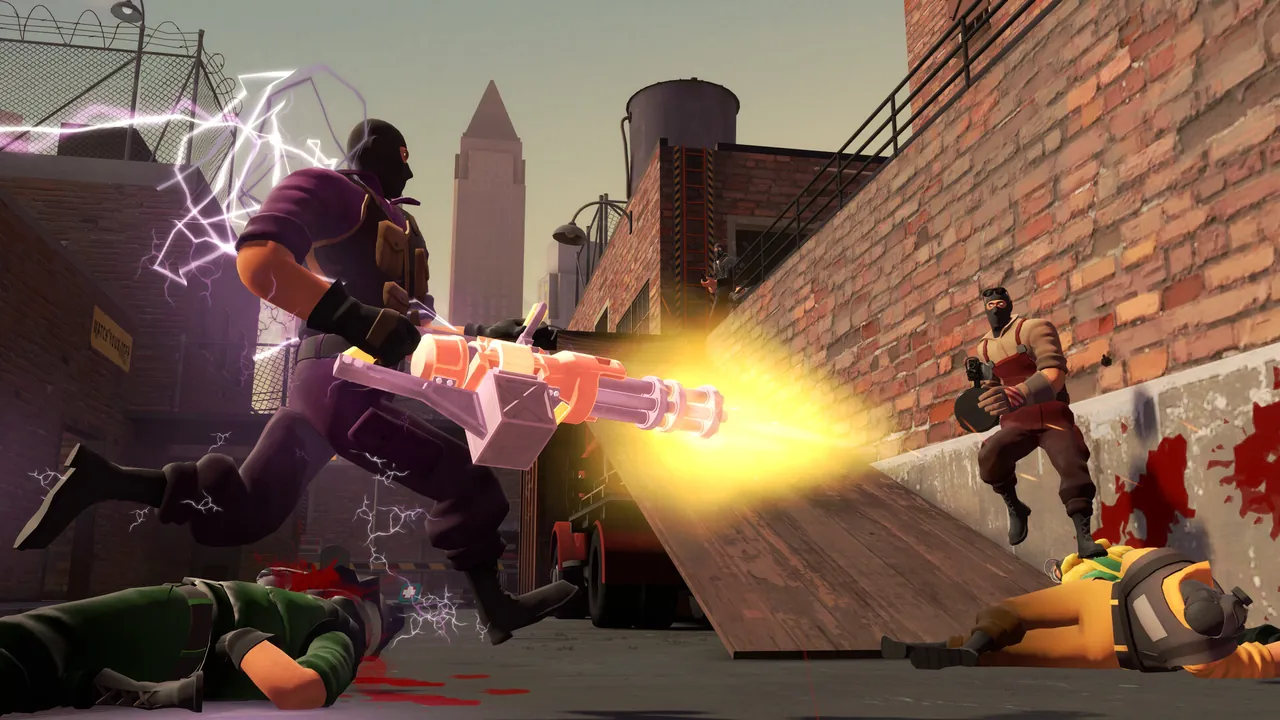
Open Fortress began as a Team Fortress 2 mod and grew into its own fast arena shooter: Source movement, bunny hopping, free for all deathmatch, its own weapons and a 1970s action movie look. It is made by Get Psyched Games, it is not a Valve product, and the version people play online is still the alpha from openfortress.fun. A free Steam release is listed for 2026, and the developers have said it will differ from the alpha, so expect server setup to change when it lands.
The alpha scene is small but dedicated. Most activity happens on community servers and organized deathmatch nights, which is exactly what your own server is for.
What you need
| Item | Detail |
|---|---|
| Base server | Source SDK Base 2013 Dedicated Server, app 244310 |
| Content | Team Fortress 2 dedicated server, app 232250 |
| Game files | Open Fortress alpha, installed with Beans |
| Port | 27015 UDP for the game, TCP 27015 for RCON |
| RAM | 2 GB for a friend group, 4 GB for 32 slots |
| Players | TF2 and Source SDK Base 2013 Multiplayer installed, plus the alpha |
Linux is the common choice for servers. The Linux setup has more moving parts than Windows: library symlinks and a hand edited gameinfo.txt. Never run the server as root.
Step 1: Install the Source server files
steamcmd +force_install_dir /home/of/sdk +login anonymous +app_update 244310 validate +quit
steamcmd +force_install_dir /home/of/tf2 +login anonymous +app_update 232250 validate +quit
The SDK base is the engine Open Fortress runs on, and the TF2 install supplies the shared content it mounts.
Step 2: Install the alpha with Beans
Beans is the official Open Fortress updater, linked from the download page at openfortress.fun. Run it and point it at the SDK server folder so it creates the open_fortress game folder there. Run Beans again whenever the alpha updates. Players run it too, and both sides must match.
Step 3: Fix up gameinfo.txt and libraries
Open Fortress ships a gameinfo_template.txt. Copy it to gameinfo.txt in the open_fortress folder and edit the search paths so they point at the absolute paths of your tf2/tf and hl2 content folders. If the server starts but players see missing textures or the server cannot find maps, these paths are the usual cause.
On Linux, the SDK server also expects some libraries under their generic names, so community guides symlink the _srv.so files in bin/ (for example engine_srv.so to engine.so). If srcds_run stops with a missing library error, this step was skipped.
Step 4: Write server.cfg
Create open_fortress/cfg/server.cfg:
hostname "Groovy Deathmatch Night"
sv_password ""
rcon_password "set-a-long-one"
mp_timelimit 15
mp_fraglimit 30
sv_lan 0
sv_password locks the server. rcon_password lets you run commands remotely. sv_lan 0 is needed for internet play. Keep round settings simple at first, then tune them for your group.
Step 5: Start the server
./srcds_run -game open_fortress -console -port 27015 +map dm_2fort +maxplayers 24
+map sets the first map and +maxplayers the slot count, up to 32. Deathmatch on small maps often plays best at 12 to 16 players even if you allow more. Run it inside screen or tmux so it keeps going after you log out.
Step 6: Open the port and connect
Forward UDP 27015 (and TCP 27015 if you use RCON from outside). Then players:
- Install Team Fortress 2 and Source SDK Base 2013 Multiplayer on Steam.
- Install the alpha with Beans and restart Steam.
- Launch Open Fortress, enable the developer console in the keyboard options and open it.
- Type
password yourpasswordif the server has one, thenconnect your.ip:27015.
If players cannot find or join the server, our Open Fortress connection fixes guide covers version mismatches and the server list. To grow the map pool, see adding custom maps to an Open Fortress server.
Skip the Linux plumbing
The SDK, TF2 content, Beans, gameinfo paths and library links are the hard part, and a GamezServers Open Fortress server installs all of it for you. The panel has Default Map (dm_2fort out of the box) and Max Players up to 32, server.cfg and the maps folder are in the file manager or SFTP, and the live console takes changelevel and any cvar you know from other Source servers. A deathmatch server is cheap to run, and the regulars can split the bill. With Sleep when empty, a server nobody has joined for 4 days stops until someone wakes it.
FAQ
Is Open Fortress free?
Yes. The alpha is free from openfortress.fun, and players need the free Source SDK Base 2013 Multiplayer plus Team Fortress 2, which is free to play.
What port does an Open Fortress server use?
UDP 27015 by default, set with -port on the launch line.
How many players can an Open Fortress server hold?
Up to 32 with +maxplayers. Small deathmatch maps feel best around 12 to 16.
Do I need TF2 installed on the server?
Yes. The server mounts Team Fortress 2 content, so the TF2 dedicated server files must be installed and referenced in gameinfo.txt.
Is Open Fortress made by Valve?
No. It is a fan project by Get Psyched Games built on Valve's Source SDK.
Skip the setup. Your own Open Fortress server.
$2.49USD first monthThen $4.99/mo. Just trying it? $1.25 for 3 days
 Minecraft