

 Tiny Block
How to Host a Tiny Block Server (Community Server Guide)
Run a Tiny Block dedicated server for more than 4 players: download the release, pick a world ID, mode and name, start it, and find it in Online Worlds.
Updated Oct 7, 2026 · 5 min read
On this page
To host a Tiny Block server, download the open source tinyblock-server release for Linux from GitHub, run tinyblock-server.x86_64 --tinyblock-server with a world ID, world name, world mode and player cap, and keep it running. It publishes itself to the game's Online Worlds list within seconds, so players on the web, iOS and Android join by picking it there, with no IP address or port forwarding. A dedicated server lifts the 4 player limit of player hosted worlds.
Why a server, when the game has multiplayer
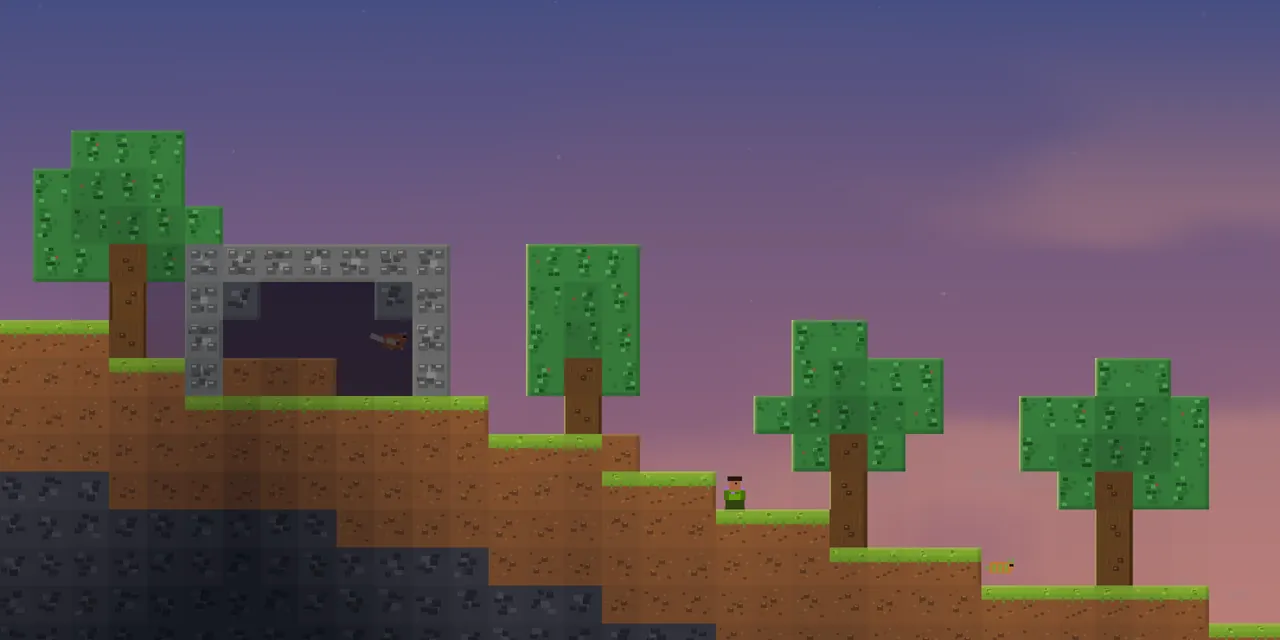
Tiny Block, the free 2D sandbox from No Such Games, already lets a player host a world for friends. Those player hosted worlds have two limits: they cap at 4 players, and the world is only online while the host's phone or browser tab is open. Put the phone down and everyone is kicked.
The community server is the answer to both. It is a headless build of the game (no graphics) that keeps one world running for everyone, with a player cap you choose, 16 by default. Your Discord, class, family or friend group can drop in from any device at any time, and the world, items and progress stay on the server.
What you need
- A Linux x86_64 machine. The server is only tested on Linux so far.
- Outbound internet access over HTTPS and WebSocket. That is all: the server makes outgoing connections only.
- Very little memory. The default 16 player world runs in about 1 GB.
- Somewhere to keep the world save, and a way to back it up.
There are no ports to open. The server talks to the official Tiny Block backend, which lists it and relays the connection to players over WebRTC. This also means the server cannot run fully offline: it relies on the official backend being up.
Step 1: Download the server
- Open the tinyblock-server releases page on GitHub.
- Download
tinyblock-server-linux-x86_64.tar.gzand the matching.sha256file. - Check and extract it:
sha256sum -c tinyblock-server-linux-x86_64.tar.gz.sha256
tar xzf tinyblock-server-linux-x86_64.tar.gz
cd tinyblock-server
chmod +x tinyblock-server.x86_64
The project is open source under the AGPL, and you can build it from source with Godot 4.7 or later if you prefer. The release archive is simpler.
Step 2: Choose the world settings
Four values define your server:
| Argument | Default | What it does |
|---|---|---|
--world |
world_community_1 |
The save ID. Same ID loads the same world. world_ is added if you leave it out. Up to 64 characters |
--world-name |
Tiny Block Community |
Name shown in Online Worlds, up to 64 characters |
--world-mode |
skyblock |
skyblock, floating_islands, procedural, one_block or challenge_run |
--max-players |
16 |
Capacity your server advertises |
The world ID is the important one. It is the save. Change it and you get a brand new world, while the old one stays on disk under its old ID. The mode only shapes how a new world is generated, so pair a mode change with a new ID. Our guide to Tiny Block world modes explains each one.
Step 3: Start it
./tinyblock-server.x86_64 \
  --tinyblock-server \
  --world world_friday_sky \
  --world-name "Friday Skyblock" \
  --world-mode skyblock \
  --max-players 16
The server signs in as a guest installation, creates or loads the world, and publishes itself. When the output says the headless server is online, it is listed.
To keep it running after you close the terminal, use the example systemd unit in the repo's deploy folder, then follow logs with journalctl -u tinyblock-server -f.
Step 4: Join from any device
- Open Tiny Block on the web, or on iOS or Android.
- Go to Online Worlds.
- Find your world name. Community servers are labelled as community worlds, apart from the official ones run by No Such Games.
- Tap it and play.
No address, no code. That is the best thing about this server for mixed groups, especially younger players.
Step 5: Back up and update
World saves live in the Godot user data folder:
~/.local/share/godot/app_userdata/Tiny Block Server/
The official servers do not store or back up community worlds, so this folder is the only copy. Back it up with a simple archive before updates and regularly while people play:
tar czf tinyblock-backup-$(date +%Y%m%d).tar.gz ~/.local/share/godot/app_userdata/Tiny\ Block\ Server/
Tiny Block updates often. To update the server, stop it, replace the binary with the new release, and start it again. Saves stay where they are. Keep the server current, since an old server may not match what players have.
Running more than one world
Each server process runs one world. To offer a skyblock world and a one block world at once, run two processes with different --world and --world-name values. They do not clash, since there are no ports involved.
The hosted option
The server is light, but it still has to stay on, stay updated and be backed up. A Tiny Block server on GamezServers runs the official release with every setting above in the panel: World ID, World Name, World Mode, Maximum Players and Version (latest or a specific tag). It is live in about a minute, one click backups protect the world before you try something new, and the 1 GB plan covers the default 16 player world. A group can split the bill between up to 10 people. If your server ever goes missing from the list, see Tiny Block server not showing in Online Worlds.
FAQ
How many players can join a Tiny Block server?
As many as you set with --max-players, 16 by default. Player hosted worlds without a server stay capped at 4.
Do I need to port forward for a Tiny Block server?
No. The server only makes outbound connections. Players reach it through the official backend's relay.
Can phone and web players join the same server?
Yes. Web, iOS and Android players all see the same Online Worlds list.
Where are Tiny Block server worlds saved?
On Linux, in ~/.local/share/godot/app_userdata/Tiny Block Server/, under the world ID.
Can I run a Tiny Block server on Windows?
The official server is built and tested for Linux x86_64 only.
Skip the setup. Your own Tiny Block server.
Then $2.99/mo. Just trying it? $0.75 for 3 days
 Minecraft