

 Fistful of Frags
How to Host a Fistful of Frags Server (SteamCMD App 295230)
Host a Fistful of Frags dedicated server: install app 295230, start srcds with -game fof, set server.cfg, the game mode and bots, and open port 27015.
Updated Oct 7, 2026 · 5 min read
On this page
To host a Fistful of Frags server, install the dedicated server with SteamCMD (app_update 295230, anonymous login), start it with srcds -game fof +map fof_cripplecreek +maxplayers 20, put your name, passwords, game mode and bot settings in fof/cfg/server.cfg, and open UDP 27015. Players find it in Find Servers or join from the console with connect. The whole thing takes about half an hour, most of it spent downloading.
Why host Fistful of Frags in 2026
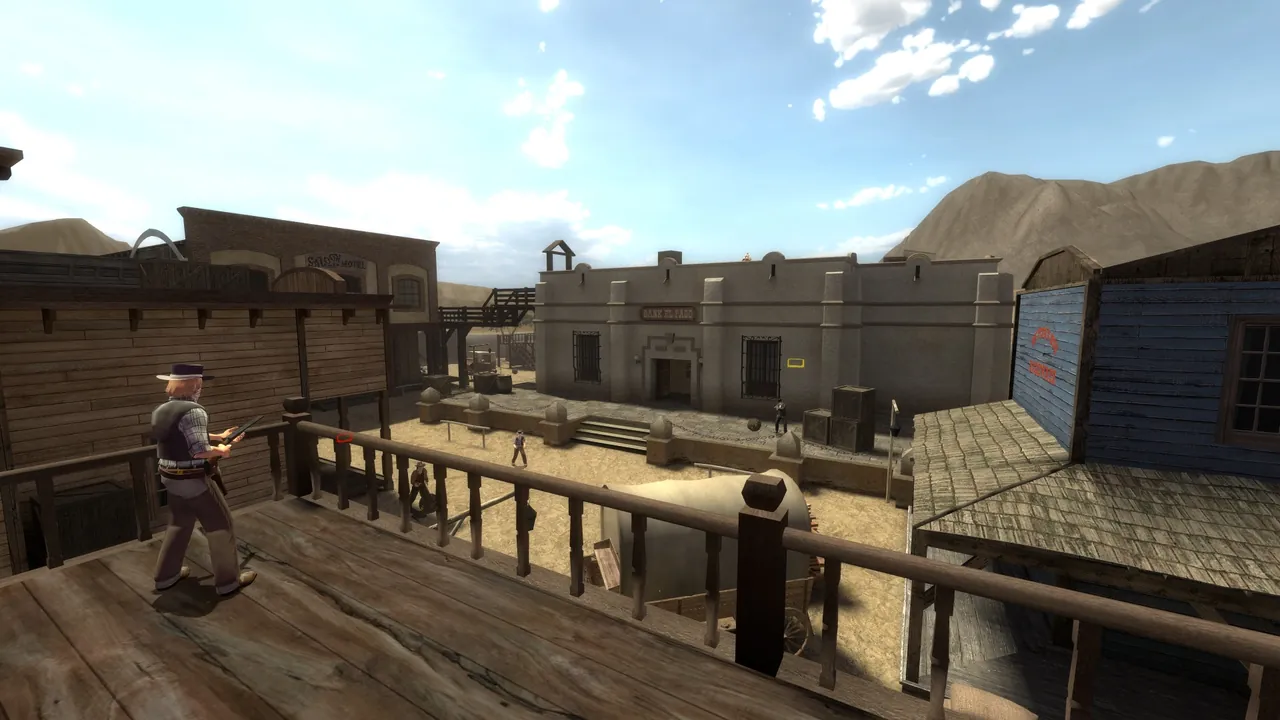
Fistful of Frags is the free Wild West shooter on the Source engine: slow reloading revolvers, Sharps rifles, bows, dynamite and fistfights. It has been on Steam since 2014, and it is not abandoned. It got a hand perk and horse balance update in December 2025, a new Halloween map, fof_hammercult, in October 2025, and its community runs tournaments, custom modes like Ghost Town and Knife Fight Club, and events through the Steam group.
It is still a small game, though, and community servers are where it is played. A server of your own gives your group a fixed home with your mode, your maps and your rules, and bots to keep it lively when only a few regulars are on.
What you need
| Item | Notes |
|---|---|
| Windows or Linux machine | Any recent 64 bit system |
| SteamCMD | Valve's free command line Steam client |
| 2 to 6 GB of RAM | 2 GB for a small group or duels, 4 GB with bots and custom maps, 6 GB for a big plugin stack |
| UDP 27015 open | Plus TCP 27015 only if you use remote RCON tools |
The server is free, and so is the game for every player.
Step 1: Install with SteamCMD
On Linux, a community admin guide on Steam uses:
steamcmd +login anonymous +force_install_dir fofserver +app_update 295230 validate +quit
On Windows, run steamcmd.exe and type:
login anonymous
force_install_dir C:\fofserver
app_update 295230 validate
quit
Run the same command after every game update. The game's December 2025 update notes reminded server owners to relaunch their servers on the updated version, because players on the new build cannot join an old server.
Step 2: Write server.cfg
Create fof/cfg/server.cfg inside the install folder. A good starting point:
hostname "Dusty Saloon | Shootout | Bots"
rcon_password "change-this"
sv_password ""
fof_sv_currentmode 1
fof_sv_bot_slotpct 1
mp_friendlyfire 0
sv_lan 0
mapcyclefile "mapcycle.txt"
| Setting | What it does |
|---|---|
hostname |
Name in the server browser |
rcon_password |
Password for remote admin commands |
sv_password |
Join password, empty for a public server |
fof_sv_currentmode |
Game mode, see below |
fof_sv_bot_slotpct |
How much of the free slots bots may fill: 0 turns bots off, 1 lets them fill every free slot |
mp_friendlyfire |
Team damage on or off in team modes |
The mode numbers are:
| Value | Mode |
|---|---|
| 1 | Shootout |
| 2 | Teamplay and objectives |
| 3 | Break Bad |
| 4 | Elimination |
| 5 | Versus |
| 6 | Course |
Our guide on game modes and bots on a Fistful of Frags server goes deeper into each mode, Ghost Town and bot tuning.
Step 3: Start the server
Linux:
./srcds_run -game fof -console -port 27015 +maxplayers 20 +map fof_cripplecreek
Windows:
srcds.exe -console -game fof -port 27015 +maxplayers 20 +map fof_cripplecreek
The server loads the map, runs server.cfg, and registers with Steam. Servers do not answer browser queries until a map has loaded, so give it a moment.
Step 4: Open the port
Source servers need UDP 27015 for game traffic and queries. TCP 27015 carries RCON and only needs to be open if you manage the server remotely with an RCON tool. Forward the port on your router to the server PC, allow srcds through the firewall, and give the PC a fixed local IP so the forward keeps working. Our port forwarding guide has router steps.
If your ISP uses carrier grade NAT, forwarding cannot work. See hosting a game server without port forwarding before you lose an evening to it.
Step 5: Join
Players enable the developer console under Options, Advanced, Enable Developer Console, press the tilde key, and type:
connect 203.0.113.10:27015
Or they open Find Servers from the title screen, go to the Internet tab and search for your hostname. Add it to Favorites so it is one click next time.
A note about the server browser
Like several Source games, Fistful of Frags has had fake servers in its browser that show inflated player counts. The game's own news posts suggest sorting by players and using View server info to see the real count. The community forum also runs a server whitelisting program that highlights legitimate servers; owners apply through the server category on the forums. If your new server is hard to find among the noise, share the address directly with your group.
Step 6: Maps, plugins and admin
- Maps: official maps use prefixes such as
fof_, and the Halloween Ghost Town maps usegt_. Custom maps go infof/maps, and players need a way to download them, ideally withsv_downloadurlpointing at a web host. - Rotation: list maps one per line in
fof/cfg/mapcycle.txt. - Admin: change maps from the server console with
changelevel fof_revenge, or remotely withrconafterrcon_password. - Plugins: Metamod:Source and SourceMod work for admin menus, map voting and more. See how to install SourceMod on a Fistful of Frags server.
The easy option
A Fistful of Frags server from GamezServers is live within about a minute of paying. It has its own address with the port already open, the default map and auto update are set in the panel, and server.cfg, mapcycle.txt, the maps folder and SourceMod's folders are all in the file manager and over SFTP. A live console takes changelevel and other commands, and one click backups protect your config before you try a new plugin. Your posse can split the bill so everyone pays a share.
FAQ
What is the Fistful of Frags dedicated server app ID?
- Install it with SteamCMD using an anonymous login.
What port does a Fistful of Frags server use?
UDP 27015 for gameplay and the server browser. TCP 27015 is RCON and only needs opening for remote admin tools.
How do I change the game mode?
Set fof_sv_currentmode in server.cfg, for example 1 for Shootout or 5 for Versus, and change to a map built for that mode.
How do I turn bots off?
Set fof_sv_bot_slotpct 0 in server.cfg and change the map or restart.
Do players need to buy anything?
No. Fistful of Frags is free on Steam, and so is the dedicated server.
Skip the setup. Your own Fistful of Frags server.
Then $4.99/mo. Just trying it? $1.25 for 3 days
 Minecraft