


BeamMP server hosting
Crash, race and cruise in BeamNG.drive on your own BeamMP server
Host a BeamMP server, the multiplayer mod for BeamNG.drive. Pick the map, player and car limits, add mod cars and Lua plugins, and drive with friends any time.
Staying longer? Subscribe and get 50% off your first month
- DDoS protected
- 24/7 support
- Live the moment you pay

- Split the billUp to 10 friends, own cards
- Custom plansAny RAM up to 32 GB
- Prepaid or monthly3 days to 1 year
- Live in 60 secondsNo setup, no waiting
- Cancel any timeNo contracts, ever
Pick your BeamMP plan
Every plan is live the moment you pay. Upgrade or cancel from your dashboard any time.
Starter
1 GBThen $2.99/mo. $0.10 a day.
- 1 GB RAM
- 2 vCPU cores
- DDoS protection included
- 24/7 support
Standard
2 GBThen $4.99/mo. $0.17 a day.
- 2 GB RAM
- 2 vCPU cores
- DDoS protection included
- 24/7 support
Pro
4 GBThen $9.99/mo. $0.33 a day.
- 4 GB RAM
- 2 vCPU cores
- DDoS protection included
- 24/7 support
What comes set up on a BeamMP server
Any stock or mod map
Run West Coast USA, Utah, Italy or a modded map by setting its path in the panel, and switch with a restart.
Mods download for players
Drop mod zips in Resources/Client and every player gets them automatically when they connect.
Lua server plugins
Add plugins like Cobalt Essentials or BeamJoy in Resources/Server for permissions, races, admin tools and game modes.
Cars per player
Cap how many cars each player can spawn, the setting that matters most for keeping everyone's game smooth.
A look inside BeamMP
Real screenshots from the game. Click any of them to see it full size.
How much RAM does a BeamMP server need?
Find the row that sounds like your group and we will point you at the right plan.
| Your server | RAM | Plan |
|---|---|---|
| A few friends on a stock map | 1 GB | Starter$2.99/mo |
| Group of 10 with mod cars and a plugin or two | 2 GB | Standard$4.99/mo |
| Large public server with many mod files | 4 GB | Pro$9.99/mo |
This is the panel. Click around.
This is the BeamMP panel you get. Click any button, or type a command.

BeamMP Server
play.gamezservers.com:7777
[12:00:00] Starting BeamMP server
[12:00:03] Loading world
[12:00:06] Server started on port 7777
[12:00:09] Ready for players. Try a button.
Power
How to join your BeamMP server
- 1
Install BeamNG.drive on Steam and the BeamMP launcher.
- 2
Start the BeamMP launcher, which opens BeamNG.drive, then click More... and Multiplayer in the main menu.
- 3
Search the server list for your server's name, or use Direct Connect with the IP and port from
203.0.113.24. - 4
Wait for any mods to download, then spawn your car.
Common problems
No server key yet? The server still runs, just private: it stays off the public list and players join with Direct Connect and the address. Add a key from Keymaster in your panel later to list it.
The server will not start without a valid BeamMP server key. Make one free at keymaster.beammp.com and use a separate key for each server.
Players lagging or teleporting? Lower Max Cars per player first. Every car runs physics on every player's PC, so more RAM on the server will not fix it.
A modded map needs its zip in Resources/Client and the Map setting pointed at /levels/mapname/info.json, using the folder name from inside the zip.
Server not responding
Make sure the server is online. Servers sleep after 4 days with nobody playing, and anyone with access can start them again from the dashboard in one click.
Use the server address
Do not use localhost, 127.0.0.1 or your own IP from a home hosting guide. Copy the exact address of the server.
No port forwarding or firewall changes
Opening ports on your router is only for hosting a server at home, so there is nothing to change to join this one. If Windows asks whether to let the game through the firewall, choose Allow.
Modding your BeamMP server
Mod cars and maps from the BeamNG repository work on BeamMP once their zips are uploaded to Resources/Client. Lua plugins in Resources/Server add admin tools and game modes.
BeamMP server hosting, explained
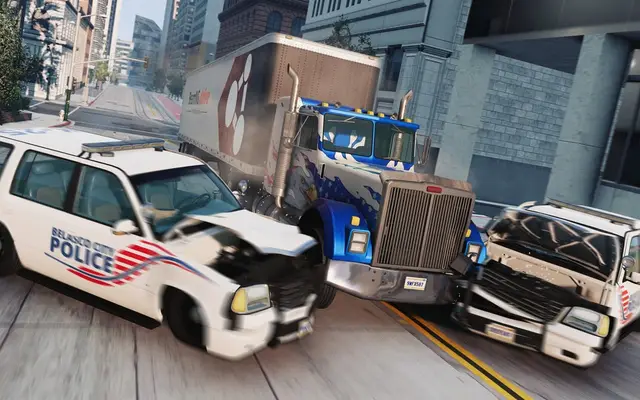
BeamMP is a community made multiplayer mod for BeamNG.drive, the soft body physics driving sim. It is not made by or affiliated with BeamNG, and every player needs BeamNG.drive on Steam plus the free BeamMP launcher. Once connected, players share a map for whatever the group likes: drag races, crash tests, police chases, offroad trails, truck convoys or roleplay towns. With physics this good, a few friends smashing into each other on a small map is enough for an evening.
Public servers are crowded and the rules are not yours. Your own BeamMP server sets the map, player count, cars per player and whether the server is listed. Friend groups use private servers so nobody has to host from their PC, and communities run public servers with race series, cops and robbers modes or roleplay rules built from Lua plugins.
The panel holds the server name, description, BeamMP key, max players, max cars per player, map, privacy and chat logging, and lets you pick the server version. Mod cars and maps go in Resources/Client and download to players automatically. Lua plugins go in Resources/Server, and popular ones add permissions, whitelists, bans, votes and admin menus. You manage both through the file manager or SFTP.
The BeamMP server itself is light, because the physics runs on each player's PC. 1 GB covers a few friends on a stock map, 2 GB handles a group of 10 with mod cars and a plugin or two, and 4 GB suits a large public server handing out many mod files. More RAM will not make physics smoother for players, so keep Max Cars sensible instead.
BeamMP server guides
BeamMP5 min readBeamMP Can't Connect to Server: Join and Mod Download Fixes
Friends can't join your BeamMP server? Check the launcher, Direct Connect address, TCP and UDP port, guests setting, mod downloads and server version.
ReadBeamMP5 min readBeamMP Server Admin Commands: Console, Kick, Bans and Plugins
Every built in BeamMP server console command (kick, list, say, status, lua), why there is no ban, and how Cobalt Essentials adds in game admin commands.
ReadBeamMP5 min readHow to Add Mods to a BeamMP Server (Cars, Maps and Plugins)
Add mod cars, mod maps and Lua plugins to a BeamMP server: zips in Resources/Client, plugins in Resources/Server, and the right Map path for a modded map.
ReadBeamMP6 min readHow to Host a BeamMP Server (2026 Guide)
Host a BeamMP server for BeamNG.drive: get a Keymaster auth key, edit ServerConfig.toml, open port 30814, add mod cars, maps and Lua plugins.
ReadIncluded on every plan
- Always on DDoS protection
- 24/7 support from real people
- Low ping game hardware
- Live the moment you pay
- Your own address and port
- Live console with full access
- One click game actions
- One click backups
- Upgrade or cancel any time
Common questions
Do players need BeamNG.drive?
Yes. BeamMP is a multiplayer mod, so every player needs their own copy of BeamNG.drive on Steam and the free BeamMP launcher.
Can I run KissMP instead of BeamMP?
Yes. Pick the KissMP (legacy) server type at checkout, or switch to it later under Settings in your panel. Most players have moved to BeamMP, so start there unless your group already plays KissMP.
Where do I get the server key?
Sign in with Discord at keymaster.beammp.com, create a key and paste it into the panel. Treat it like a password and use one key per server. The key only puts the server on the public list: without one it runs private and players join with Direct Connect.
How many players can join?
The panel allows up to 100, and the server starts at 6. Past about 20 players most servers struggle, because every car adds load on every player's game.
How do I add mod cars or maps?
Upload the mod zip files into Resources/Client with the file manager. For a modded map, also set the Map setting to its /levels/mapname/info.json path.
How do I get admin commands?
BeamMP has a basic server console in the panel. For in game admin tools, permissions and bans, install a plugin such as Cobalt Essentials or BeamJoy in Resources/Server.
How do I keep the server private?
Set Private to true. The server stays out of the BeamMP list and only people with the address can join.
Which stock maps can I use?
Any map that ships with BeamNG.drive, such as Gridmap, West Coast USA, East Coast USA, Utah, Italy or Hirochi Raceway, by setting its info.json path.
How much RAM does a BeamMP server need?
Very little. 1 to 2 GB covers most groups, and 4 GB is plenty for a big public server with lots of mods.
Is GamezServers affiliated with BeamMP?
No. You rent and control your own dedicated BeamMP server. GamezServers is not affiliated with the game's developer or publisher.
Can my friends and I split the cost?
Yes. At checkout choose "Me and my friends" and up to 10 people each pay their own share with their own card, on any plan length, from 3 days to a year. It is not a payment plan: nobody pays in parts over time, each friend simply pays their own share. You pay yours, send each friend their link, and the server starts straight away. Each share includes a $1 payment fee.
Can I build a custom plan?
Yes. Every game has a Build your own page: pick any amount of RAM up to 32 GB, any length from 3 days to 1 year, prepaid or a subscription, plus your server type and settings. A custom size costs 15% more per GB than the standard plans next to it.
Can I pay once instead of a subscription?
Yes. Pick Prepaid and pay once for 3 days, 30 days, 6 months or a year. Nothing renews: when the time is up the server pauses and keeps its world for 14 days. Add time or switch to a subscription from your panel any time. Short rentals cost more per day, since every server is set up from scratch.
How fast is setup, really?
Your server starts building the moment Stripe confirms payment. Most are online in under a minute, and the address and login appear on your dashboard automatically.



Your BeamMP server is a minute away
Crash, race and cruise in BeamNG.drive on your own BeamMP server
Deploy BeamMP nowLive in 60 seconds · Cancel any time
GamezServers is not affiliated with BeamMP team. BeamMP and its art are trademarks of their respective owners.