

 Core Keeper
How to Move a Core Keeper World to a Dedicated Server
Copy your numbered .world.gzip file to the server's worlds folder, set World Index to the same number and bring your mods. Characters stay on each PC.
Updated Oct 3, 2026 · 5 min read
On this page
To move a Core Keeper world to a dedicated server, copy its world file from %USERPROFILE%\AppData\LocalLow\Pugstorm\Core Keeper\Steam\<SteamID>\worlds\ (files are named by slot: 0.world.gzip, 1.world.gzip and so on). Upload it into the server's DedicatedServer/worlds/ folder and set the server's world index (-world, or world in ServerConfig.json) to the number at the start of the file name. Upload the same mods to the server. Characters are stored on each player's own PC, so nobody needs to move them.
What you can and cannot move
| From your game | Moves to the server? |
|---|---|
| A world you host or play in single player (Steam) | Yes, one file, this guide |
| Several worlds | Yes, but the server runs one at a time, picked by world index |
| Characters | Nothing to move. They stay on each player's PC and work on any world |
| Mods used in the world | Yes, copy them to the server's Mods folder by hand |
| Hard mode or normal mode | Already decided inside the world. World Mode only affects new worlds |
| Console saves | No, they are not accessible as files |
Before you start
- Quit to the main menu and close the game, so the world file is final.
- Back up the whole
worldsfolder. - Match the version. Keep the server's auto update on so it runs the same build as the players.
- List your mods. Every mod the world was played with needs to be on the server.
Step 1: Find the world file
| System | Worlds folder | Characters folder |
|---|---|---|
| Windows (Steam) | %USERPROFILE%\AppData\LocalLow\Pugstorm\Core Keeper\Steam\<SteamID>\worlds\ |
...\<SteamID>\saves\ |
| Linux (Steam) | ~/.config/unity3d/Pugstorm/Core Keeper/Steam/<SteamID>/worlds/ |
.../<SteamID>/saves/ |
AppData is hidden on Windows, so paste the path into the Explorer address bar. Each file is one world, named after its slot in your world list: the first world is 0.world.gzip, the second 1.world.gzip. If you are not sure which one you want, check Date modified against when you last played.
Step 2: Find the server's worlds folder
The dedicated server keeps its worlds in a DedicatedServer/worlds/ folder inside its data folder. On a Linux server that is ~/.config/unity3d/Pugstorm/Core Keeper/DedicatedServer/worlds/, next to ServerConfig.json. Start the server once and let it finish: it creates 0.world.gzip there, which tells you you are in the right place.
On GamezServers, look in .config/unity3d/Pugstorm/Core Keeper/DedicatedServer/ in the file manager (folders starting with a dot are hidden in some file browsers, so search for worlds if you do not see it).
Step 3: Upload and set the world index
| What | Where on the server | Setting |
|---|---|---|
2.world.gzip (your world) |
DedicatedServer/worlds/2.world.gzip |
World index 2 |
| Mod folders | CoreKeeperServer_Data/StreamingAssets/Mods/ |
None, loaded on start |
- Stop the server.
- Upload your world file into
worlds. Keep its number, or rename it to a free one. - Set the world index to that number. On GamezServers it is World Index in Settings.
- Upload your mods to
CoreKeeperServer_Data/StreamingAssets/Mods/. The Core Keeper modding docs list the server and client mod folders. - Start the server, copy the Game ID from
GameID.txtor the console, and join with Join Game, then Join With Game ID.
The gotcha: the number is the world
Core Keeper does not look at world names when choosing what to load. It loads the file whose number matches the world index, full stop. Two things go wrong because of that:
- Overwriting your own upload. A new server already has its own
0.world.gzip. If you upload yours as0.world.gzipwhile the server is running, it can save its fresh world over yours when it stops. Always stop the server first, or upload under a different number such as1.world.gzipand set the index to1. - Loading the wrong world. If your world is
2.world.gzipon your PC and you leave the index at0, the server happily loads its own empty world and you think the upload failed.
The panel's World Name setting is only the server's name. It does not pick a world.
What happens to characters
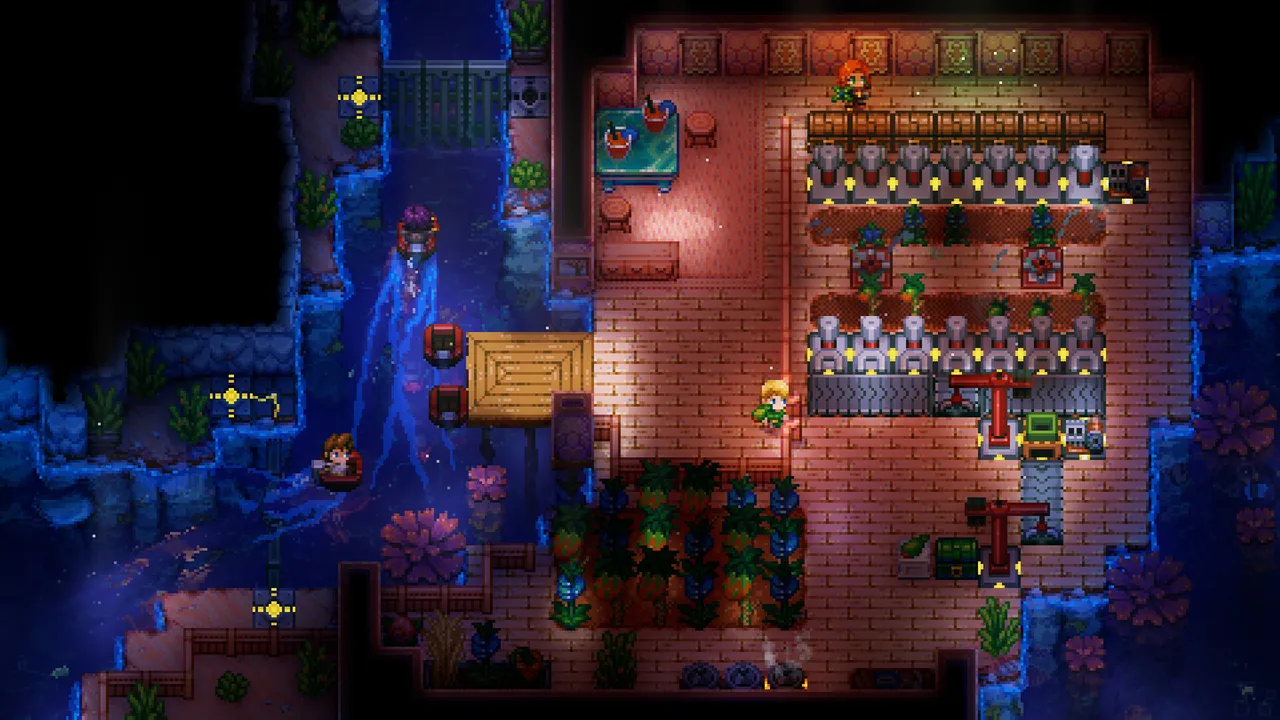
Characters in Core Keeper are client side. Each player's character, inventory and skills are files in their own saves folder, and they bring them into any world they join, including the dedicated server. So everyone, host included, joins with their own character as it was. The world file carries the map, bases, chests, farms and boss progress.
That also means a player who reinstalls on a new PC needs to copy their own saves folder across, since the server cannot give them their character back.
Common problems
- Server loads an empty new world: the world index does not match your file's number, or the file landed outside
DedicatedServer/worlds/. - Your world was replaced by a fresh one: you uploaded over
0.world.gzipwhile the server was running. Restore from backup. - Modded items missing or crash on load: a mod is missing on the server, or it adds art and has no Linux build from its author.
- Friends' Game ID stops working: set a fixed Game ID in the panel so it does not change on restart.
- Version mismatch: restart the server so auto update installs the newest build.
On GamezServers
A Core Keeper server from GamezServers gives you an SFTP login in Settings and a file manager that uploads zips, extracts them and can download a file from a link straight to the server. Click Backup before replacing a world, set World Index, and the mines stay open for up to 100 players without anyone's PC running. Friends joining for the first time can follow how to join a Core Keeper dedicated server.
FAQ
Where are Core Keeper worlds saved?
In %USERPROFILE%\AppData\LocalLow\Pugstorm\Core Keeper\Steam\<SteamID>\worlds\ on Windows, one .world.gzip file per world slot.
Will my friends keep their characters?
Yes. Characters live on each player's PC, not in the world, so everyone joins the server with their own character.
Which world number should I set?
The number at the start of the file name. 3.world.gzip needs a world index of 3.
Do mods download automatically on the server?
No. Upload them to the server's Mods folder yourself, and every player installs the same mods from mod.io.
Skip the setup. Your own Core Keeper server.
Then $9.99/mo. Just trying it? $2.50 for 3 days