

How to Host a Nazi Zombies Portable Server (NZ:P Dedicated 2026)
Set up a Nazi Zombies Portable dedicated server on FTEQW: files, the NZP-REBOOT protocol, port 27500, tickrate, web clients and how friends connect.
Updated Oct 7, 2026 · 5 min read
On this page
To host a Nazi Zombies: Portable server, put an FTEQW server binary next to the NZ:P nzp game folder (the PC assets plus the two QuakeC packages), then start it with -dedicated, a port, the protocol name NZP-REBOOT and a map, for example +map ndu. The default port is UDP 27500. Players open the console with the tilde key and type connect with your address. For players on the browser version, run the server with NZP-REBOOT-WEB instead and they connect with ws://.
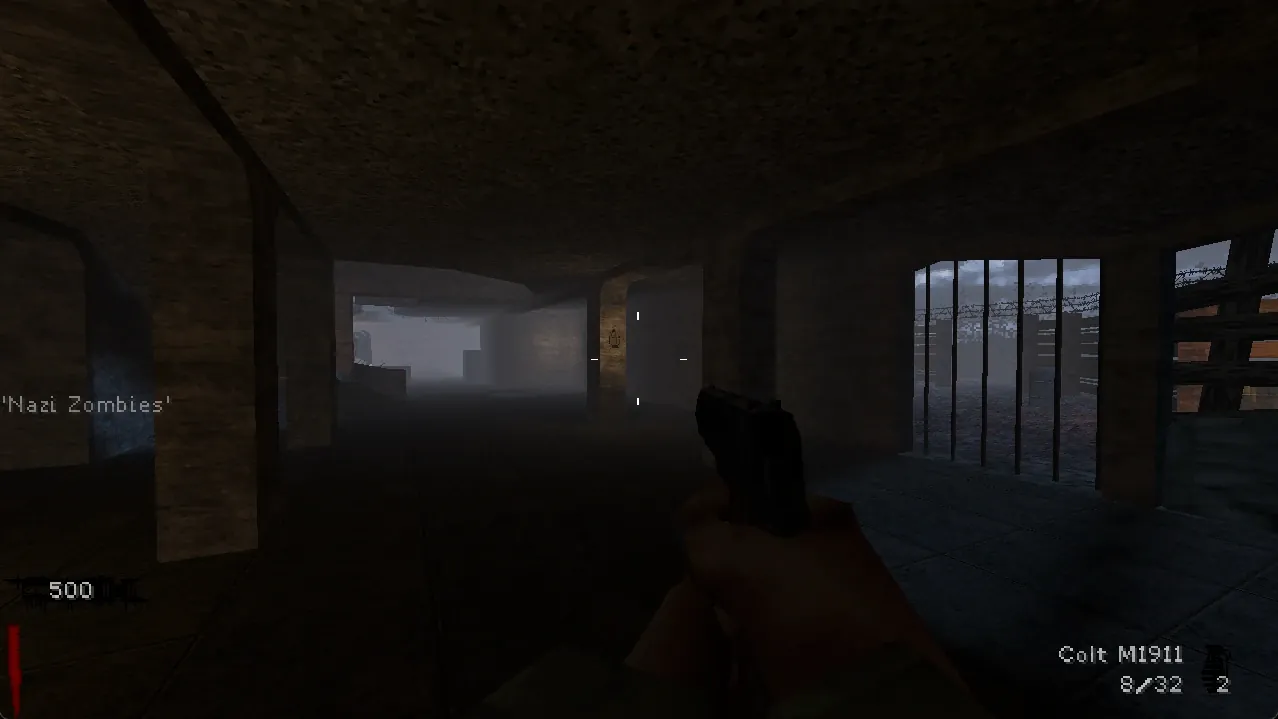
What NZ:P is, and what a server is for
Nazi Zombies: Portable is a free, open source remake of the World at War zombies mode that started on the PSP and now runs on PC, Linux, Switch, 3DS, Vita and in a web browser. It runs on forks of the Quake engine, which is why it looks the way it does and why the server is a Quake style program with cvars and a console.
Online co-op on PC and Linux works through a server. Someone can host from the game itself, but that relies on peer to peer tricks the developers themselves call unreliable, and it ends when the host quits. A dedicated server gives your four player group a stable address to come back to.
It is a small community project. Expect to play with your own group, not to find a busy public server list. It is a fan project with no connection to the publishers of the series it recreates, and it costs nothing to play.
What you need
| Item | Where it comes from |
|---|---|
| FTEQW server binary | The NZ:P team's FTEQW fork releases on GitHub, or the vanilla build from fteqw.org |
pc-nzp-assets.zip |
The nzp-team/assets releases |
fte-nzp-qc.zip and standard-nzp-qc.zip |
The nzp-team/quakec releases |
| RAM | 1 GB is plenty for four players on stock maps |
The official NZ:P dedicated server documentation is short and worth reading alongside this guide.
Step 1: Lay out the files
- Extract the server binary into an empty folder.
- Extract
pc-nzp-assets.zipinto the same folder. You should now have a folder callednzpnext to the binary. - Extract both QuakeC zips inside the
nzpfolder.
You should end up with something like:
nzp-server/
  fteqw-sv64            (or nzportable64)
  nzp/
    gfx/
    maps/
    default.cfg
    progs.dat
    qwprogs.dat
    csprogs.dat
If the server later says it cannot find progs.dat or a map, the QuakeC files are in the wrong place.
Step 2: Start it
A Linux example with the vanilla FTE server binary:
./fteqw-sv64 -dedicated +sv_port 27500 +sv_port_tcp 27500 +com_protocolname NZP-REBOOT +sv_mintic 0.045 +map ndu
| Part | Meaning |
|---|---|
-dedicated |
Run without a game window |
+sv_port |
UDP port for desktop players, default 27500 |
+sv_port_tcp |
TCP/WebSocket port, needed for browser players |
+com_protocolname |
NZP-REBOOT for PC and Linux clients, NZP-REBOOT-WEB for the browser build |
+sv_mintic |
Seconds between physics frames. 0.045 is about 22 a second |
+map ndu |
Start map. ndu is Nacht der Untoten |
Without +map, the server stops with SV_Error: Couldn't load a map. Without the protocol name, clients do not recognise it as an NZ:P server.
Step 3: Open the port
For a home server, forward UDP 27500 (and TCP 27500 if you serve browser players) to the server machine. The NZ:P docs note that the default public mode (sv_public 1) needs port forwarding, while sv_public 2 tries a peer to peer room code instead and is easier but less reliable. If your connection is behind CGNAT, port forwarding cannot work at all; our guide on telling whether you are behind CGNAT explains how to check.
Step 4: Connect
- Everyone downloads the latest PC or Linux build from the NZ:P releases page. The project ships nightly builds, so "latest" really matters.
- Launch the game and press the key under Escape (tilde or backtick) to open the console.
- Type
connect 203.0.113.60:27500and press Enter.
Up to four players can join, the same as the mode it recreates.
Tuning the tickrate
sv_mintic trades smoothness for bandwidth. The NZ:P docs warn that zombie counts at high rounds make the server send a lot of packets, which is why the default is a modest 0.045. They also note that this value can be a little slow on some maps, for example zombies getting stuck on stairs in Nacht der Untoten. If your group sees that, try 0.033 (about 30 a second). Go lower only if everyone has a good connection.
Browser players
The web build at nzp.gay can join a dedicated server too, with a few conditions:
- The server runs
+com_protocolname NZP-REBOOT-WEB. - Players use the HTTP version of the web client, because the browser blocks unencrypted WebSocket connections from an HTTPS page.
- They connect with
connect ws://203.0.113.60:27500.
One server serves one kind of client. Desktop and web players cannot share it.
Other useful cvars
Anything the server understands as a cvar can be added to the launch line with a +:
+sv_enablechatplugins 1turns on chat commands, including map voting withmapvote <mapname>.+sv_maprotationmode 1or2turns on fixed or random map rotation.+net_mtu 1200can help players who time out on certain connections.
We cover rotation and custom maps in adding custom maps to an NZ:P server, and connection errors in Nazi Zombies: Portable cannot connect fixes.
Hosted the easy way
Our Nazi Zombies: Portable server hosting installs the server, assets and QuakeC for you, with its own address so there is no port forwarding. The control panel has the Protocol (desktop or web), Tickrate, Map and an Additional Game Arguments box for any +cvar value. Custom maps go into the nzp folder through the file manager or SFTP. It is one of the cheapest servers to leave running, and it is ready whenever your squad wants another run.
FAQ
Is Nazi Zombies: Portable free?
Yes. The game and the server are free and open source.
What port does an NZ:P server use?
UDP 27500 by default for desktop clients, set with sv_port. Browser clients use the TCP port set with sv_port_tcp.
How many players can join?
Four.
Why does the server say it couldn't load a map?
No map was given at start. Add +map ndu (or another installed map) to the launch line.
Can PC and browser players play together?
Not on the same server. The protocol name picks one kind of client.
 Skip the setup. Your own Nazi Zombies: Portable server.
Then $2.99/mo. Just trying it? $0.75 for 3 days
 Minecraft