

 CS2D
CS2DHow to Host a CS2D Server (Dedicated Server Setup Guide)
Host a CS2D dedicated server: cs2d_dedicated plus the game files, sys/server.cfg, UDP port 36963, mapcycle, RCon and how friends join by IP.
Updated Oct 7, 2026 · 5 min read
On this page
To host a CS2D server that stays online, extract the free CS2D game files, drop the cs2d_dedicated program from cs2d.com into the same folder, set your options in sys/server.cfg, open UDP port 36963 and run it. The server lists itself on the U.S.G.N. server list, and friends can also join by IP from Find Servers. If you only want to play a round tonight from your own PC, the in game New Game button is enough.
Listen server or dedicated server
Unreal Software gives you two ways to host, and they behave the same once running:
| Listen server (New Game) | Dedicated server (cs2d_dedicated) | |
|---|---|---|
| Runs | Inside the game you play | As a separate program with no graphics |
| Good for | A quick match where you play too | A server that stays up when you log off |
| Control | Menus in game | Console, RCon or Lua scripts |
| Needs a GPU | Yes, it is the game | No |
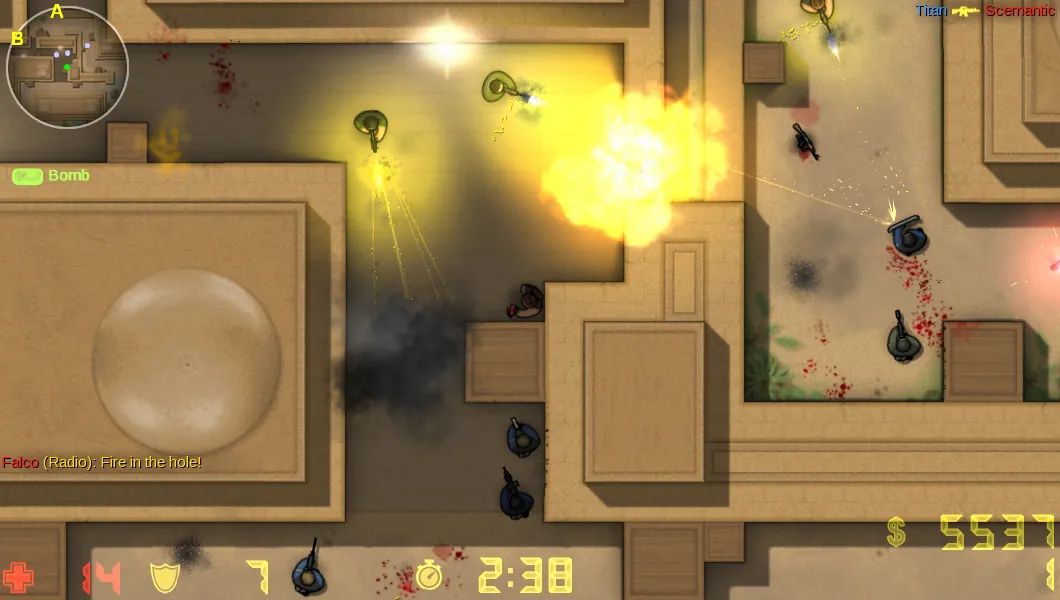
CS2D is a small 2D game from the early 2000s, free on Steam since 2017, and it still gets updates: the dedicated server was last rebuilt in August 2026. The player base is modest, so most servers today belong to clans, script communities and friend groups. That is exactly what a dedicated server is for.
Step 1: Get the files
- Download CS2D for your system from cs2d.com, or install it from Steam.
- Download the dedicated server package from the same page. It contains
cs2d_dedicated(Linux x64),cs2d_dedicated_arm(Linux ARM 64) orcs2d_dedicated.exe(Windows x64) and a readme. - Extract the dedicated server into the CS2D folder, next to the game files. The server needs the
maps,sysandlogosfolders from the game. - On Linux, run
chmod +x cs2d_dedicated. You may need thelibstdc++package.
Unreal Software is blunt about one Linux rule: never run the server as root. Create a normal user for it.
Step 2: Set up sys/server.cfg
Nearly every setting lives in sys/server.cfg. The client and dedicated server share the same config files, so you can also set things up in the game's Options and copy the sys folder over. The lines that matter first:
sv_name "Friday Dust2D"
sv_password ""
sv_maxplayers 12
sv_hostport 36963
sv_gamemode 0
sv_map de_dust
sv_lan 0
sv_maptransfer 1
sv_rcon "a-long-random-password"
sv_rconusers "u12345"
mp_luaserver "server.lua"
| Setting | What it does |
|---|---|
sv_name |
Name on the server list |
sv_password |
Join password, empty for an open server |
sv_maxplayers |
Player slots, up to 32 |
sv_hostport |
UDP port, 36963 by default |
sv_gamemode |
0 standard, 1 deathmatch, 2 team deathmatch, 3 construction, 4 zombies |
sv_map |
Starting map |
sv_lan |
Must be 0 or the server never reaches the online list |
sv_maptransfer |
1 sends custom maps and their tiles and sounds to players |
sv_rcon |
RCon password for remote admin |
sv_rconusers |
U.S.G.N. or Steam IDs allowed to use RCon |
Use sv_rconusers with any RCon password. Without it, anyone who learns the password can control the server from outside, and the password travels unencrypted.
Step 3: Pick the map rotation
Maps the server cycles through go in sys/mapcycle.cfg, one per line. Players can only vote for maps in this file. The prefix tells you the type: de_ bomb defuse, cs_ hostages, as_ VIP, ctf_, dm_, con_ construction and zm_ zombies. Match them to sv_gamemode, since standard missions only work in mode 0.
Custom maps go in the maps folder along with any tiles, sprites and sounds they use. With sv_maptransfer 1, players who do not have them download them on join.
A welcome message for joiners goes in sys/serverinfo.txt.
Step 4: Open UDP 36963
CS2D uses UDP only. On a home connection:
- Forward UDP 36963 (or your
sv_hostport) in the router to the PC running the server. - Allow the server program through the firewall.
- On a VPS, open the port in the provider's firewall too.
CS2D has mp_natholepunching, which uses U.S.G.N. to help servers behind NAT routers, and it is on by default. It helps, but a real port forward is more reliable. Our port forwarding guide covers router screens.
Step 5: Start it and join
Run ./cs2d_dedicated (or the .exe). Watch for ----- Server started ----- in the output. Friends then:
- Launch CS2D and open Find Servers.
- Find the server by name in the list, or connect by IP with the address and port.
- Enter the password if you set one.
If it does not appear in the list within a minute or two, our guide to the CS2D server not showing in the server list covers the U.S.G.N. side, including the master server address change.
Step 6: Admin it
A dedicated server has no menus, so you control it three ways:
- The console of the server process: type
kick,map de_dust2,restartor any setting. - RCon in game: log in with the RCon password, then send commands.
- Lua scripts: admin scripts add chat commands and menus. See our guide on adding Lua scripts to a CS2D server.
Bans are stored in sys/bans.lst, logs in sys/logs and player stats in sys/stats.
Hosting it without a spare PC
CS2D needs very little, so a home PC can run it. The catch is that it has to stay on, keep its port open and survive Windows updates. A hosted CS2D server from GamezServers installs the current game and dedicated server for you, sets the name and password from the panel, and has a public address with no router setup. Our servers run 12 player slots, which suits most maps, and you get the file manager and SFTP for server.cfg, maps and sys/lua, plus the live console. The 1 GB plan covers a match with friends.
FAQ
What port does a CS2D server use?
UDP 36963 by default, set with sv_hostport. CS2D does not use TCP for game traffic.
How many players can a CS2D server hold?
The game allows up to 32 with sv_maxplayers. Most maps play best with 10 to 16.
Can I run a CS2D server on Linux?
Yes. There are Linux x64 and ARM 64 builds of cs2d_dedicated. Run it as a normal user, never as root.
How do I change the game mode on a CS2D server?
Set sv_gamemode (0 standard, 1 deathmatch, 2 team deathmatch, 3 construction, 4 zombies) and change the map so it takes effect.
Do players need to download custom maps?
They download automatically on join if sv_maptransfer is 1 and the map's tiles, sprites and sounds are on the server.
Skip the setup. Your own CS2D server.
Then $2.99/mo. Just trying it? $0.75 for 3 days
 Minecraft